Free · No account needed
Spotify QR Code Generator
Paste a link from Spotify: a playlist for the venue, a song, an album, your artist profile or a podcast. Download a QR for a poster, a table card or a record sleeve.
Free forever. Your codes never expire.In Spotify, open the playlist, song or artist, choose Share, then Copy link. A spotify:track: URI works too.
Free static QR. No watermark, no scan limit, and no expiry set by Scanely. The destination must remain available.
Your QR code
Generated in your browser. Scanely does not upload your link to generate this static QR.
Keep the print. Change the link.
Create an account to make an editable QR and see scan counts. Your link, colors, and size will be ready in the creator.
A dynamic QR is a new code. Create and download it before printing; this static download will not become trackable.
What the link opens
A Spotify link points at one thing: a playlist, a song, an album, an artist page, a podcast show or one episode. The tool accepts all six and removes the si= tracking parameter, which is tied to the account that copied the link. Links to the Spotify home page, search results or your account settings are rejected, because they do not open anything useful for a stranger.
QR code or Spotify Code
Spotify has its own scannable image, the Spotify Code: a row of bars that the app reads with its built-in camera. It works only inside Spotify. A QR code works with every phone camera, opens the web player for people without the app and can be printed next to any other code. For a venue, a shop window or a record sleeve the QR code is the safer choice; the Spotify Code can sit beside it for people who already have the app open.
Where a Spotify QR code works
- Venue playlist. A table card or a sticker by the speaker opens the playlist guests hear, so they can save it.
- Release. A poster, a flyer or a record sleeve opens the new album or single.
- Artist profile. Merch, business cards and the back of a setlist open the profile with a Follow button.
- Podcast. A conference badge or a slide opens the show or the episode about the talk.
How to create a Spotify QR code
- Copy the link in Spotify. Open the playlist, song, album, artist, show or episode, choose Share, then Copy link.
- Paste it here. The tool checks that it is an open.spotify.com link, removes tracking parameters and shows what the code will open.
- Download and test. Download PNG or SVG, print a proof and scan it with a phone that has Spotify and one that does not.
A static code keeps one link
This download contains the link itself and cannot be edited or counted. If the same poster should play a new playlist next season, create a dynamic QR code first and print that one: the destination changes in the dashboard, the printed code stays. Free includes 3 dynamic codes and 1,000 scans a month; Starter is $9 a month for 50 codes.
See pricing. A YouTube video or channel uses the YouTube QR generator, an Instagram profile the Instagram QR generator, and a table card the table tent maker.
A playlist as a present: the QR code gift page prints the code on a gift tag or on a folded card.
Scanely is independent of Spotify.
Check the scan before your print run
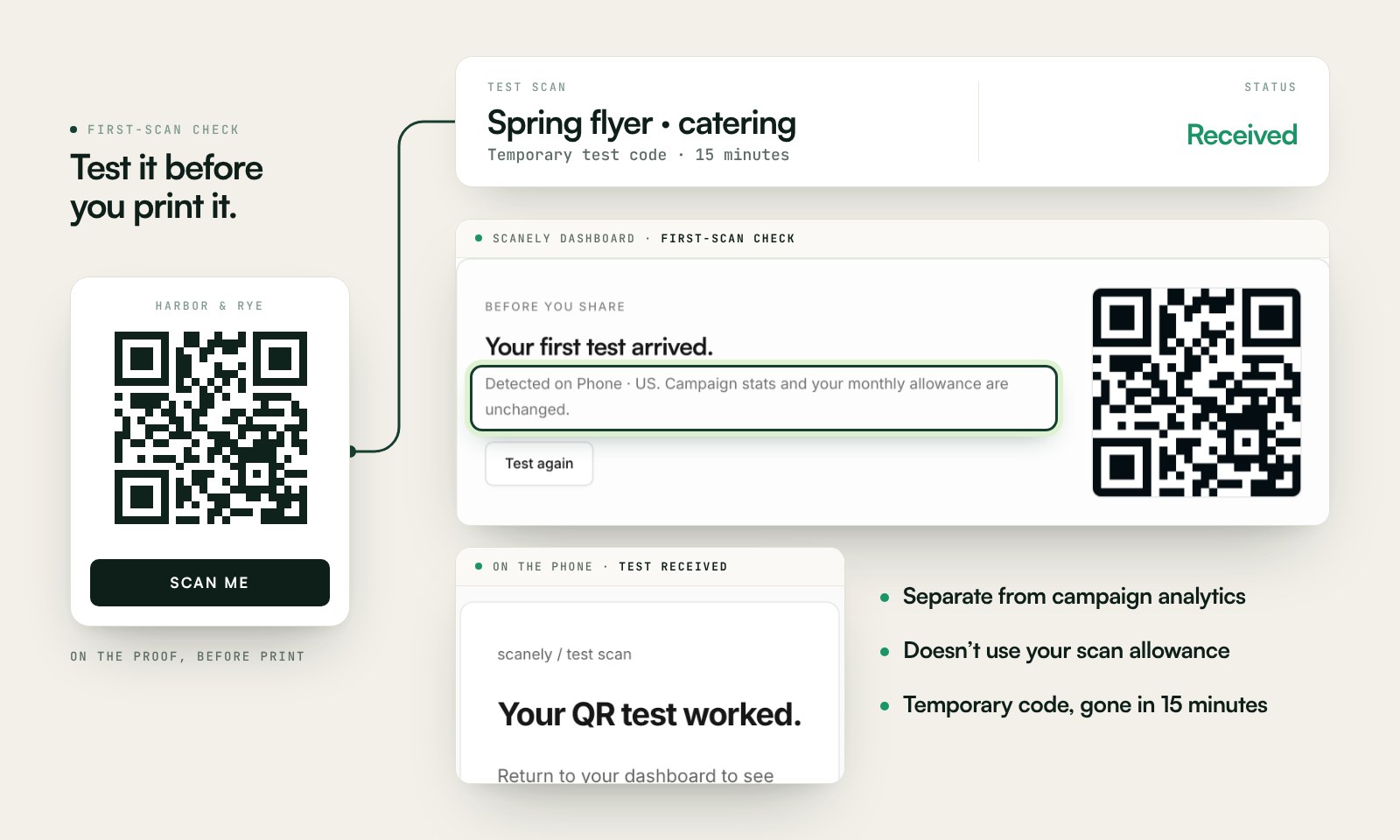
Scan a printed proof of your static download with a phone and check its destination. If you create a dynamic code in your Scanely account, First-scan check gives you a temporary test QR and confirms when your phone scans it.
The temporary code keeps test activity separate from campaign analytics. Never print it; download and test the final QR before ordering a batch.
Questions before you print
Is this Spotify QR code generator free?
Yes. The PNG and SVG are free, with no account, watermark or scan limit from Scanely. The static file is not counted; a dynamic Scanely code counts scans and can change the link later.
Is this the same as a Spotify Code?
No. A Spotify Code is the sound-wave image the Spotify app creates, scanned inside the app with its camera. This is a standard QR code that any phone camera reads; it opens the same open.spotify.com link.
What happens when someone without Spotify scans it?
The link opens the Spotify web player, which plays a preview and offers to sign up or open the app. Phones with Spotify installed usually jump straight into the app.
Can I change the playlist after printing?
A static code keeps the link you encoded. Print a dynamic Scanely code instead if the poster should point at the summer playlist now and the winter one later; the printed code stays the same. Free includes 3 dynamic codes.
Can I use a spotify.link short link?
Yes, the tool accepts it, but open.spotify.com links are safer for print: short links depend on a redirect service that Spotify can change. The tool warns you and keeps the link as pasted.
Does the code work for podcasts?
Yes. Show and episode links from open.spotify.com are accepted, with a label that tells you which one you pasted.