Local plugin
Create & print
No account required.
- Static QR library and Gutenberg block
- PNG, SVG and vector PDF exports
- Native WooCommerce order QR
- Package inserts and bulk print
Scanely for WordPress & WooCommerce
Turn a page, a product or a package into a useful next step. Create QR codes in WordPress. Add private order QR to WooCommerce. Connect Scanely when you’re ready to measure more.
Free local tools · Optional Scanely account · Built for native WooCommerce
URLs, posts, pages, products and PDFs.
Web pages, customer emails and packages.
Connect Scanely for dynamic QR and analytics.
After the purchase
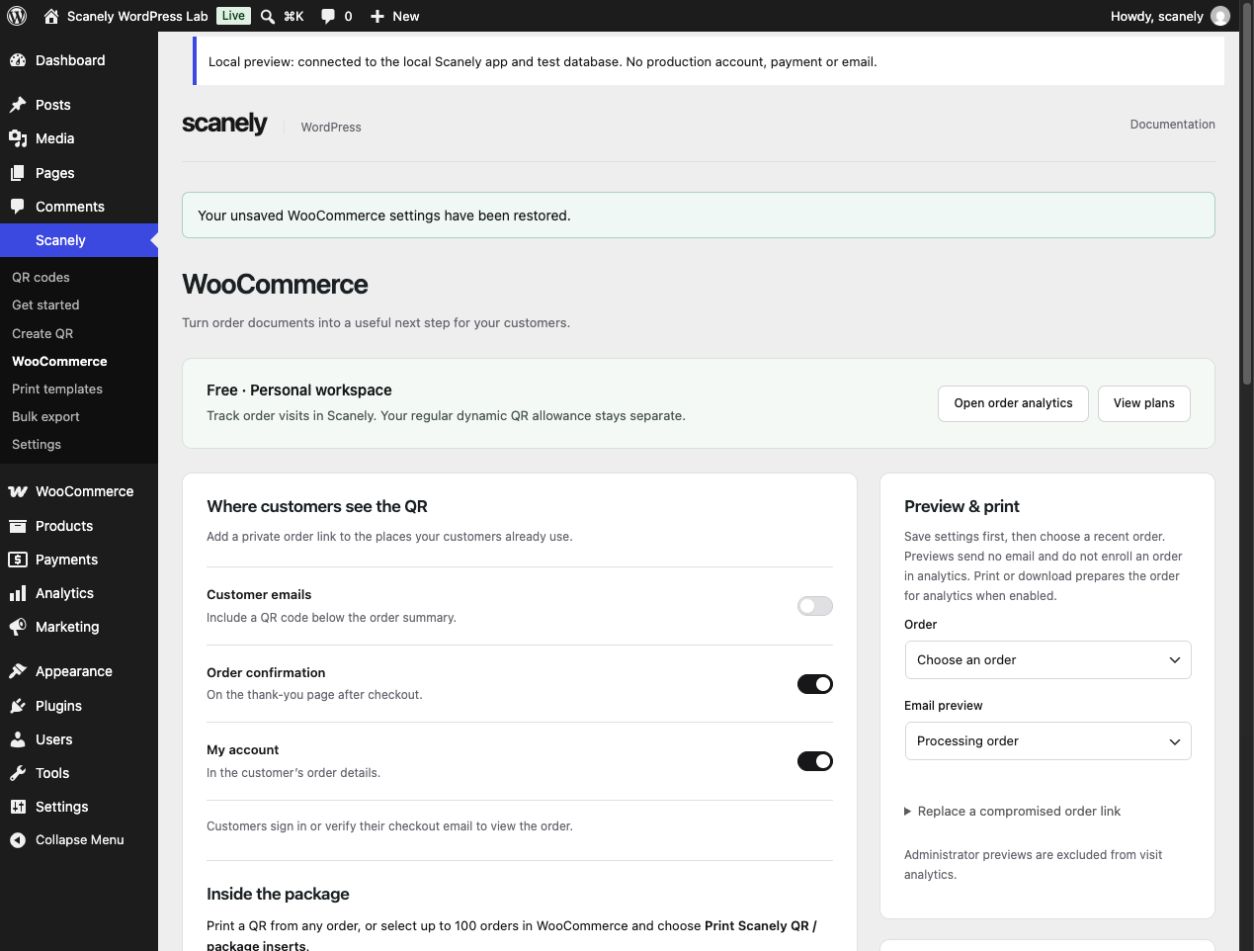
An order QR gives customers a private link to their order. From there, they can find product help, leave a review or add available items to their cart again.
One connected workspace
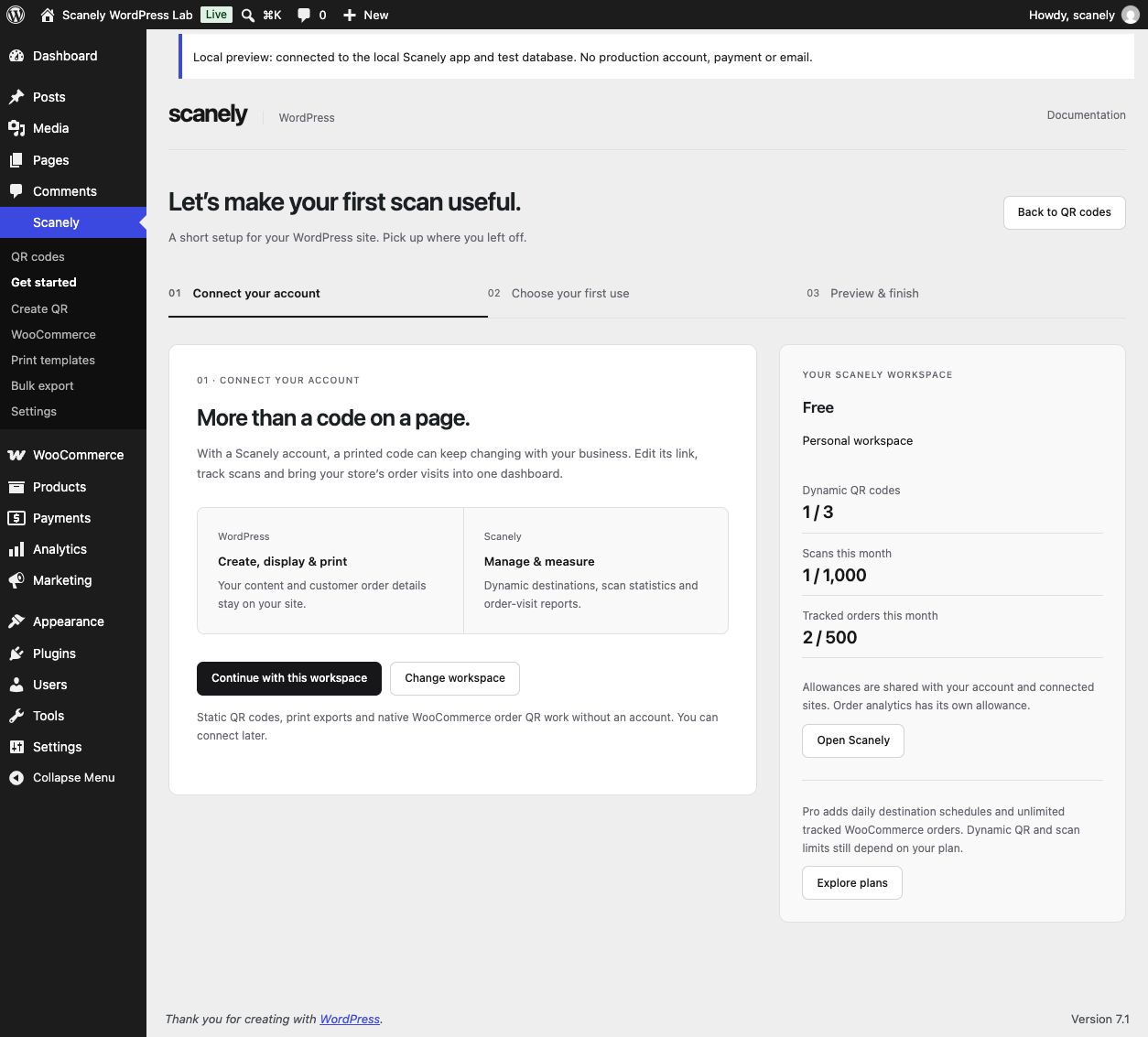
Keep customer order details in WooCommerce. Manage dynamic destinations and see scan statistics in Scanely. Order-visit reports show verified visits after customers agree to analytics.
An order visit is not a new purchase. Purchase attribution is a separate feature on eligible plans.
Included with a Free Scanely account
Shared account allowances across the app and connected sites. Local print and customer access keep working when analytics allowance is full.
Create your free accountStart with what you need
Connect when you want editable destinations and analytics. Upgrade when your store needs more.
Local plugin
No account required.
Connected Free account
No credit card required.
Pro, Business & Lifetime
Choose the plan that fits your account.
Unlimited applies to tracked WooCommerce orders. Dynamic QR, recorded scan and retention limits depend on your plan. Starter includes 2,000 tracked orders per month.
Upload the ZIP in WordPress → Plugins → Add Plugin, then activate Scanely.
Open Get started. Connect a Scanely account or continue with local tools, then choose content or WooCommerce orders.
Save your QR or placements. Preview the result before adding it to your website, emails or printed material.
Good to know
Yes. Local static QR codes, the library, Gutenberg block, PNG/SVG downloads, print templates and native WooCommerce order QR work without a Scanely account. A connected Free account adds dynamic codes and analytics within shared account limits.
WooCommerce is needed only for the order features. Customer emails, checkout confirmation, My Account and package printing work with WooCommerce alone. PDF invoice and packing-slip placement additionally supports PDF Invoices & Packing Slips for WooCommerce by WP Overnight.
Free includes 500 new orders admitted to analytics per UTC calendar month, shared across your connected stores and workspaces. Reprinting and repeat visits do not consume another order slot. Additional orders wait for allowance or an upgrade; printed codes and customer access keep working.
Tracked WooCommerce orders are unlimited on Pro, Business and all Lifetime plans. Dynamic campaign QR codes and recorded scans have separate plan limits. Starter includes 2,000 new tracked orders per month.
To a private order page on your store. Registered customers sign in; guests verify their checkout email. They can view the order and, when eligible, add items to their cart, review products or open product help. It is not carrier tracking or a payment link.
Dynamic QR statistics and consented order-visit reports are in Scanely. WordPress shows connection status and summaries. Customer names, email addresses, order items and private access links remain in WooCommerce. Static QR codes do not record Scanely scan statistics.
Your content. A useful next step.
Need help? Talk to us.