Free · No account needed
Print a QR code
Paste a link, choose the frame text and the size, and download a PDF with a safe margin. Free, no account, with a print check.
Free forever. Your codes never expire.The code opens this link directly. Short links make sparser codes that print more easily.
Free static QR. No watermark, no scan limit, and no expiry set by Scanely. The destination must remain available.
Your QR code
Generated in your browser. Scanely does not upload your link to generate this static QR.
Ready for your counter
Make it a print-ready card or sign.
Add a short invitation and download a PDF at its exact print size. No account or watermark.
Add a valid link above to prepare your print.
Print at 100% / actual size. Keep the QR border clear and test one physical sample before printing a batch. Cards are individual pages; ask your printer to arrange them on a sheet.
Scan me
Point your camera at the code.
Content preview. Your PDF uses the selected 105 × 148 mm layout.
Keep the print. Change the link.
Create an account to make an editable QR and see scan counts. Your link, colors, and size will be ready in the creator.
A dynamic QR is a new code. Create and download it before printing; this static download will not become trackable.
The frame says why to scan
A QR code on its own explains nothing. A short frame text such as “Scan me”, “See the menu” or “Rate us” raises scans because people know what happens next. Pick a preset or write your own text in the print kit, and add the business or event name if you like.
Match the format to the placement
The 70 × 70 mm sticker fits a door, a laptop or packaging. The 85 × 55 mm card goes over the counter with the receipt. The A6 flyer works as a table card or a mailbox drop. The A4 stand with fold lines sits on a counter or table, and the US Letter and US card formats suit North American print shops. Every PDF has exact page dimensions, so the print shop does not scale anything.
Safe margin and minimum size
The PDF keeps the blank border around the code, the quiet zone of at least four modules. The print check reviews contrast, the QR size in millimetres and pattern density; if the link is too long for a small format you see a warning instead of a file that will not scan. For posters, work out the size with the QR size calculator.
Print settings
Print at 100%, that is actual size, never “fit to page”. Matte paper scans better than glossy. Print one copy and scan it with two different phones before ordering the batch. The QR printing guide covers bleed, paper and proofs in more detail.
Make it dynamic before you print
The code in this PDF is static: the link is fixed in it. If you print a larger batch, or want to know how many people scan, first create a dynamic QR code with a free account, then download its PDF from the dashboard Print kit. You can then change the link after printing and see the analytics. Free codes never expire. A plain code without a frame is one click away in the free QR code generator, and more layouts live in the QR print templates.
Check the scan before your print run
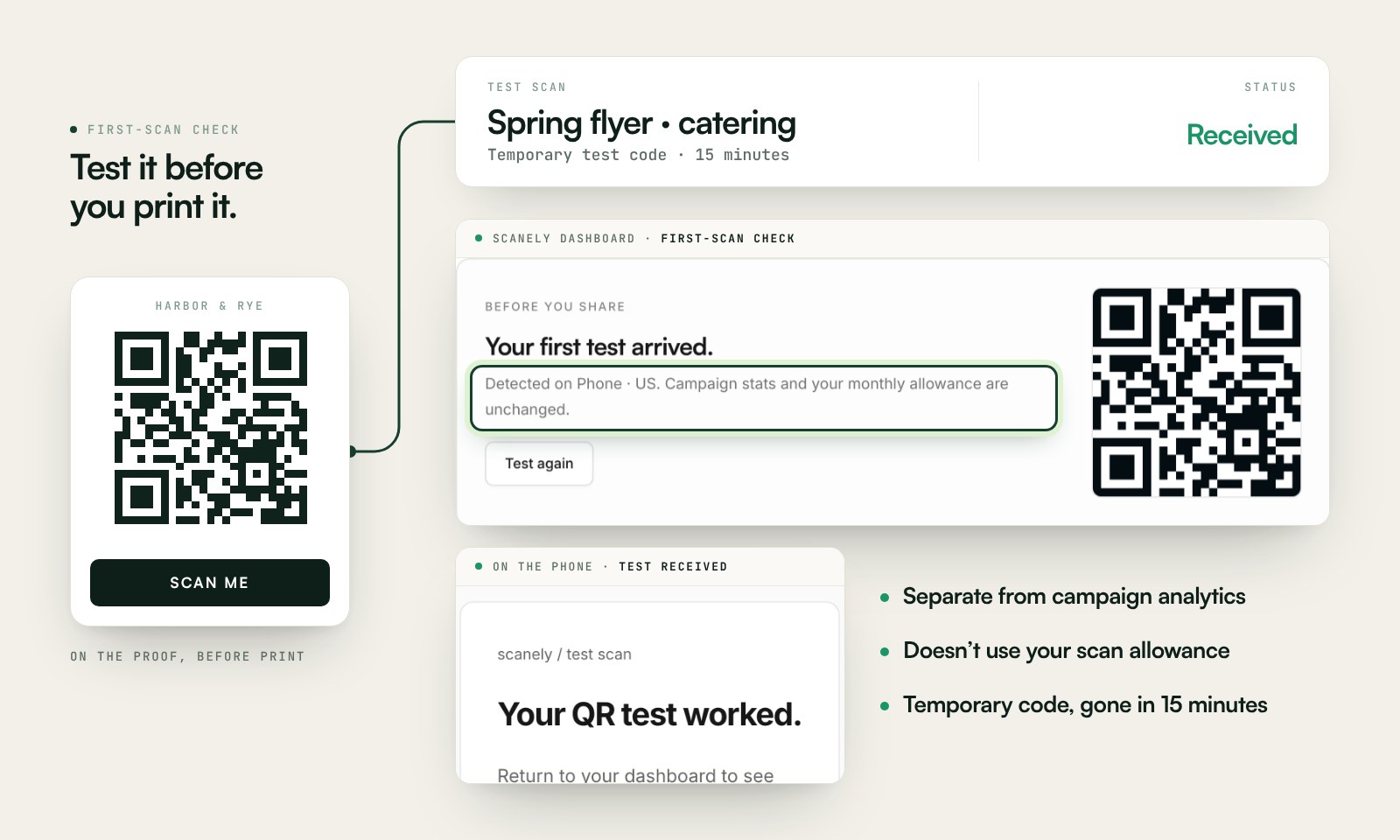
Scan a printed proof of your static download with a phone and check its destination. If you create a dynamic code in your Scanely account, First-scan check gives you a temporary test QR and confirms when your phone scans it.
The temporary code keeps test activity separate from campaign analytics. Never print it; download and test the final QR before ordering a batch.
Questions before you print
How do I make a QR code for free?
Paste the link in the generator, pick colors and download PNG or SVG. On this page you also choose a frame and a size, then download a PDF prepared for the print shop.
How do I print a QR code?
Download the PDF and choose actual size or 100% when printing, never fit to page. Check that the paper matches the PDF format, keep the blank border around the code and scan one printed copy before printing the batch.
What is the minimum size for a printed QR code?
At least 25 mm per side and 0.4 mm per module; the print check shows the QR size in millimetres for each format. For posters, a simple rule: reading distance divided by 10.
Does the printed QR code expire?
No. The code in the PDF is static: it carries the link in the pattern and Scanely sets no expiry date. A dynamic code on the Free plan does not expire either, and lets you change the link after printing.
Do I need an account?
No. You create and download the PDF without an account or watermark. A free account is only needed for a dynamic QR with scan analytics and an editable link.