Use Case
QR Code Tracking for Marketing Agencies
Manage QR codes across clients, A/B test print campaigns, and generate performance reports that prove offline ROI.
Why agencies need per-client QR analytics
Marketing agencies juggle multiple clients, each with their own campaigns, channels, and reporting requirements. As marketing ROI statistics consistently show, clients expect measurable results. When a client asks "how did our flyer campaign perform?" - you need real numbers, not estimates.
The problem with most QR code tools is that they treat every QR code as an isolated item. For an agency managing 50+ QR codes across 12 clients, this becomes chaos. You need a way to organize codes by client, tag them by campaign and channel, and generate focused reports that show only the data relevant to each client.
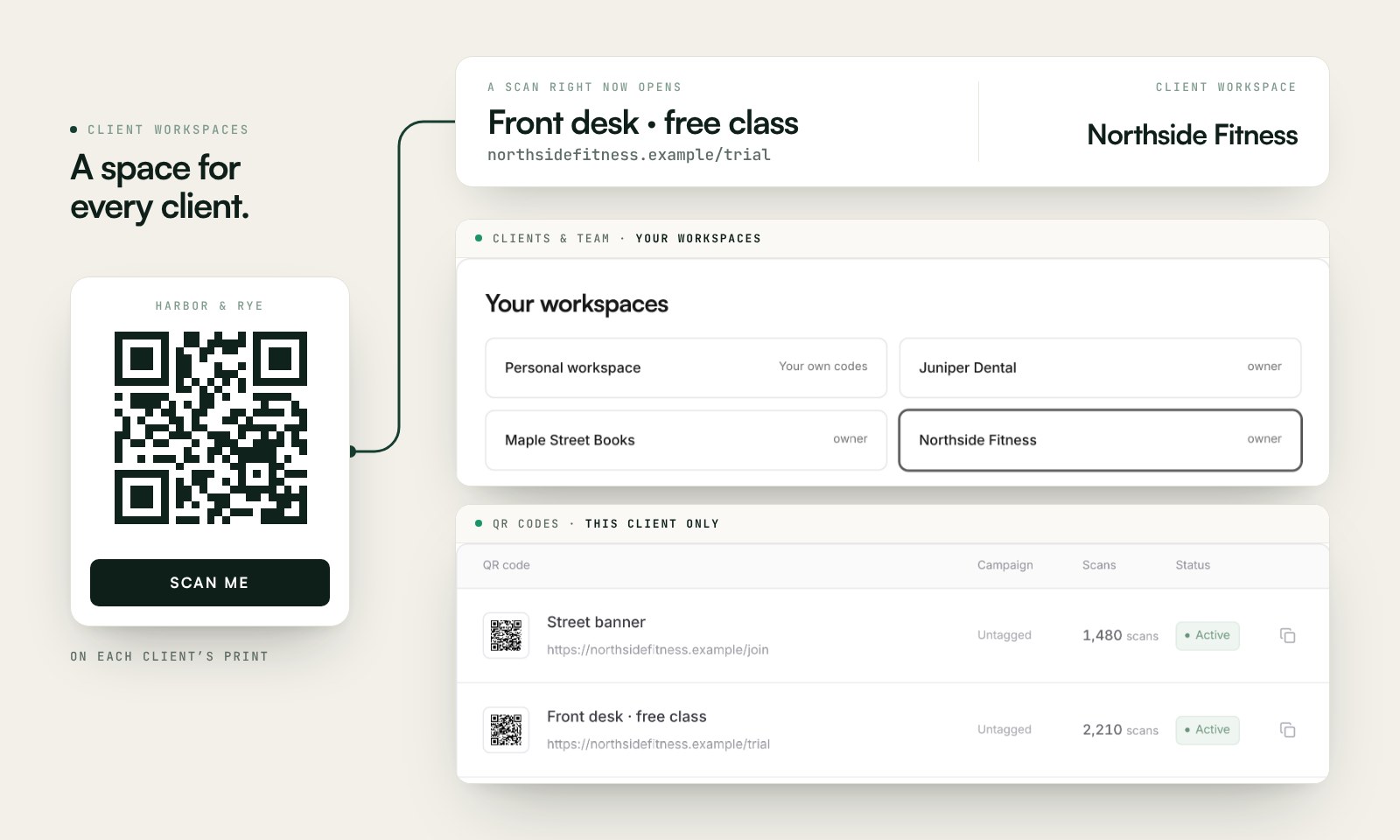
Scanely provides client workspaces on Business and Lifetime Business. Each workspace separates QR codes, analytics, team access and conversion settings. Add your client’s report branding, invite an editor or viewer, and use campaign tags to organize placements within that space.
The value goes beyond reporting. With dynamic QR codes, you can update a client's landing page mid-campaign without reprinting any materials. When a client launches a new website or changes their promo offer, you update the URL in Scanely and every printed piece instantly redirects. Learn more about how QR code scan tracking works.
Why agencies need QR tracking
Multi-client management
Create client workspaces with team roles on Business or Lifetime Business. Organize placements with tags inside each space.
A/B test print campaigns
Create two QR codes for the same campaign. Test different placements, designs, or CTAs and compare scan data.
CSV export for reports
Export scan data to CSV and drop it into your client reporting deck. Device, location, time - all there.
Prove offline ROI
Show clients exactly how many people engaged with their print materials. No more guessing about flyer performance.
Manual tracking vs Scanely for agencies
| Aspect | Manual tracking | With Scanely |
|---|---|---|
| Campaign tracking | Manual UTM links, no offline tracking | Per-channel QR codes with automatic scan tracking |
| Client organization | Spreadsheets and shared folders | Client workspaces with separate access and campaign tags |
| A/B testing print | Impossible to compare print placements | Two QR codes, same campaign, compare data |
| Client reporting | Estimate impressions from foot traffic | CSV export with exact scan counts and trends |
| Mid-campaign changes | Reprint all materials | Update QR destination URL instantly |
| Proving offline ROI | Rely on client trust and estimates | Hard data showing scan-to-visit engagement |
How agencies use Scanely in practice
From client onboarding to monthly reporting, Scanely fits into the agency workflow at every stage. Here are the most common ways agencies get value from QR code tracking.
Client campaign management
Choose a client in Client workspaces, open its separate QR code list, then download a report with the client’s branding. Client workspaces require Business or Lifetime Business. Account QR and scan limits are shared across all owned workspaces.
Watch Client workspaces
Compare offers with the same printed QR
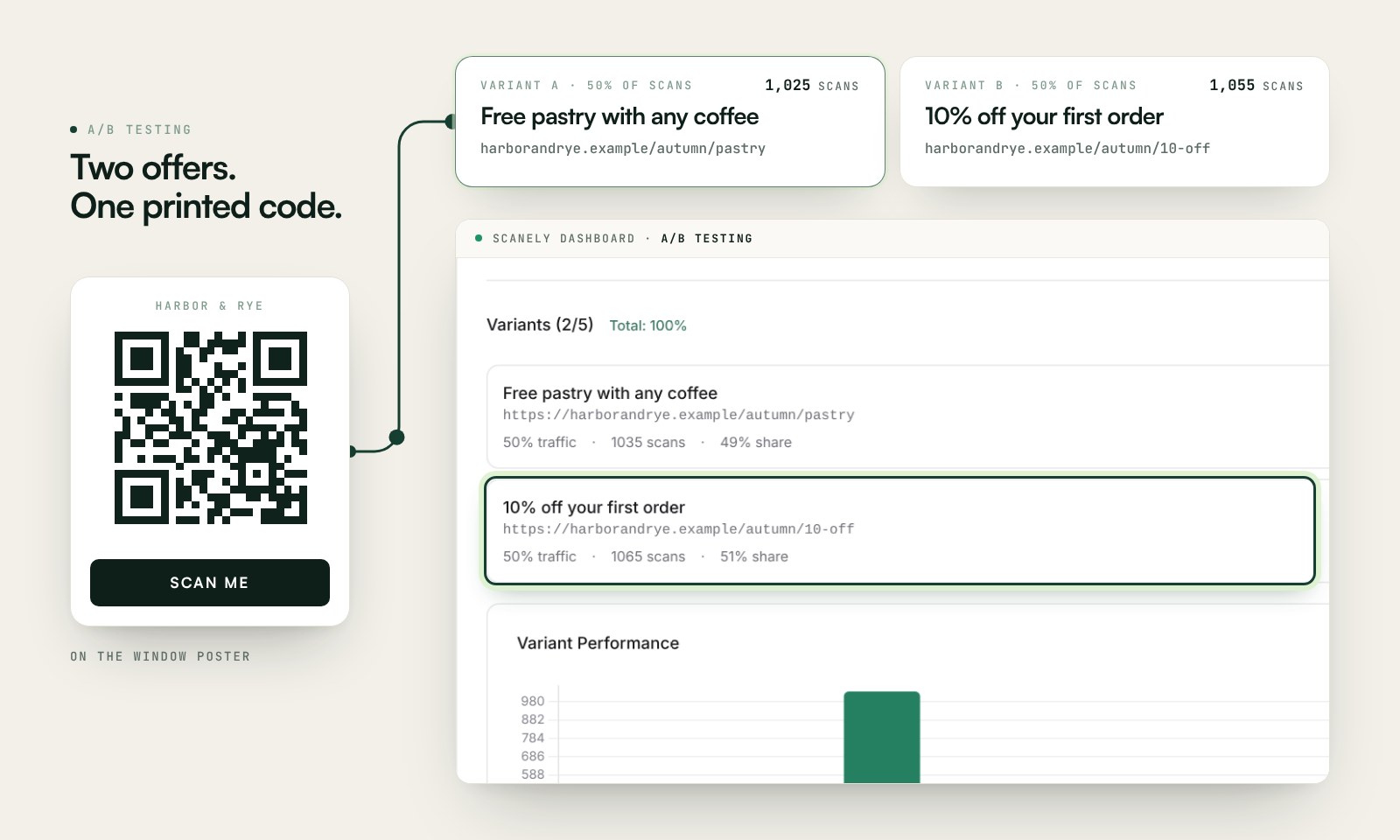
Use A/B Testing to split scans equally between two offer destinations behind one printed code. Compare scan counts for each variant; connect conversion tracking to measure completed actions. A/B Testing is available on Pro, Business and all Lifetime plans.
Watch A/B Testing
CSV export for client reports
Select a client workspace, then download its branded PDF report for the last 30 days on Business or Lifetime Business. Raw scan CSV is available on Pro, Business and all Lifetime plans, scoped to the workspace and optionally one QR code. It includes code, time, device and location data, but not campaign tags.
Give clients a report they can open
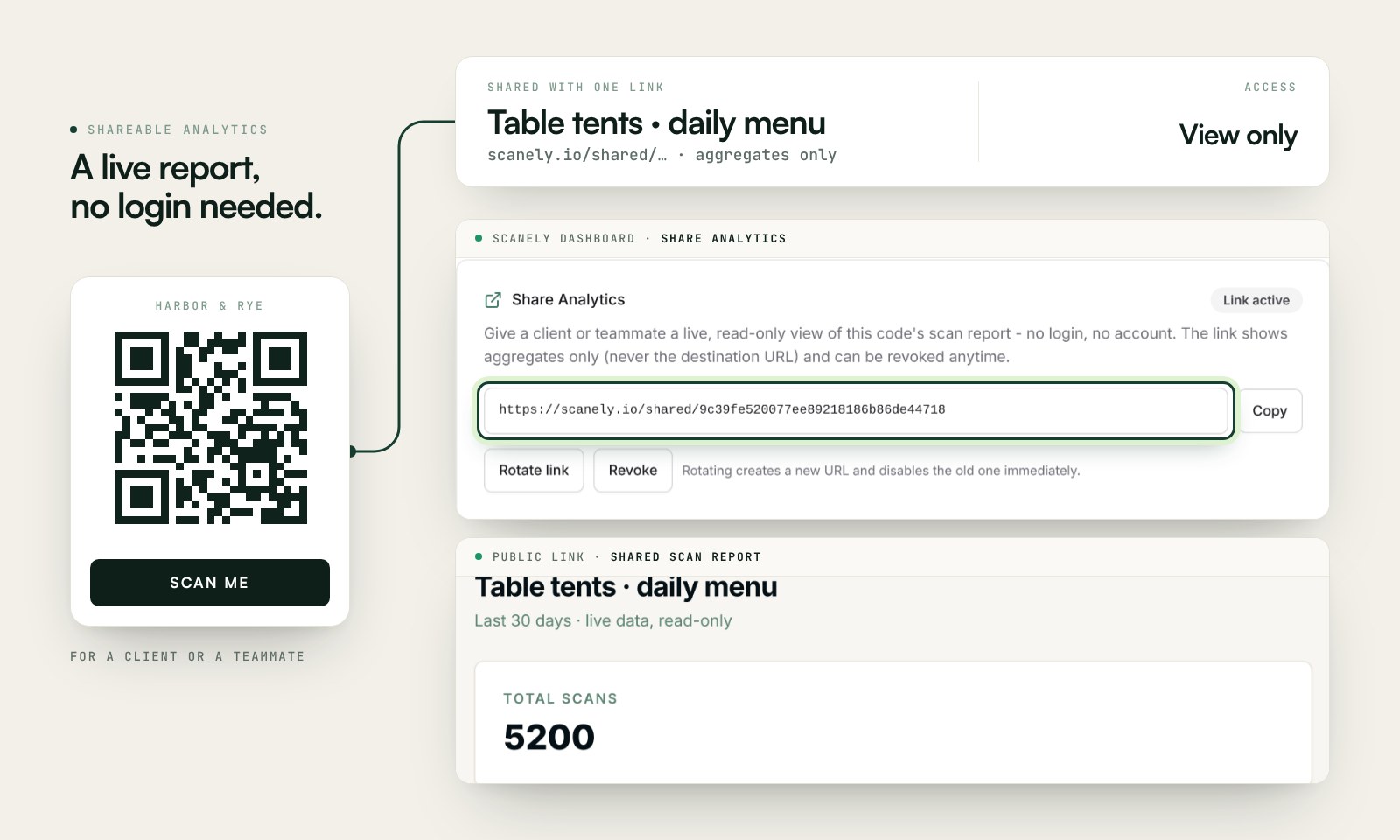
With Shareable analytics, create a read-only link for a code, then open the public report to check what your client will see. They can view it without an account. Available on Pro, Business and all Lifetime plans; rotate or revoke the link when access should end.
Watch Shareable analytics
Onboarding new team members
Establish a consistent tagging convention across your agency. A tag like "client:acme|campaign:spring|channel:flyer" lets any team member filter and find the right data. When a new account manager takes over a client, the tag structure makes onboarding seamless. You can also design branded QR codes in Canva for each client.
How to set up Scanely for your agency
Create your free Scanely account
Sign up at scanely.io/register. No credit card required. Get instant access to QR code creation, campaign tags, and analytics.
Set up client workspaces
Create a workspace for each client on Business or Lifetime Business. Invite editors or viewers, then use a campaign tag to group related codes.
Create QR codes per client and channel
For each client campaign, create separate QR codes per channel - one for magazine ads, one for flyers, one for bus stops. Tag each with the client name and channel.
Deploy and track campaigns
Share QR codes with your design team to include in print materials. Once deployed, scan data starts flowing into your dashboard in real time.
Export and report to clients
Select the client workspace and download its branded 30-day PDF report. Export raw scan CSV for deeper analysis; the current workspace determines its scope.
A typical use case: agency with restaurant clients
A typical use case: an agency managing 12 local restaurant clients. For each client, they create separate QR codes for each marketing channel - table tents, window stickers, takeaway menus, and flyers distributed in the neighborhood.
Using campaign tags like "client:pizza-bella|channel:flyer-v1" and "client:pizza-bella|channel:flyer-v2", they A/B test flyer designs for each client. Monthly CSV exports feed into a Google Sheets template that automatically generates a client-facing report showing total scans, peak scan times, device breakdown, and channel comparison.
One client - a sushi restaurant - saw that their takeaway menu QR generated 3x more scans than their window sticker. The agency recommended doubling the takeaway menu distribution and eliminating window stickers entirely, saving the client money while increasing engagement. The restaurant saw a 25% increase in online orders within two months.
Features agencies love
- Tag and organize QR codes by client and campaign
- A/B testing - compare two QR codes side by side
- Raw scan CSV on Pro, Business and all Lifetime plans
- Client workspaces, roles and branded PDF reports on Business and Lifetime Business
- Lead, booking and purchase attribution with conversion tracking
- Dynamic QR codes - update destinations mid-campaign
- Scan analytics by device, location, and time
- Free QR code generator for quick mockups
Frequently asked questions
Can I manage QR codes for multiple clients? ▾
How do I generate reports for clients? ▾
Can I A/B test landing pages for a client campaign? ▾
Is there a limit on how many QR codes I can create? ▾
Read the workspace and reporting guide.
Related use cases
Ready to prove offline ROI to your clients?
Start free. No credit card required. See pricing plans for advanced features.