Free · No account needed
Free QR Code Generator
Paste your link, choose your colors, and download a QR code for your next card, sign, or campaign.
Free forever. Your codes never expire.The QR opens this link directly.
Free static QR. No watermark, no scan limit, and no expiry set by Scanely. The destination must remain available.
Your QR code
Generated in your browser. Scanely does not upload your link to generate this static QR.
Keep the print. Change the link.
Create an account to make an editable QR and see scan counts. Your link, colors, and size will be ready in the creator.
A dynamic QR is a new code. Create and download it before printing; this static download will not become trackable.
How to make a QR code from a link
This free generator creates static QR codes in your browser. The address you paste is not sent to a server; the file is produced on your device.
- Paste the link. Enter the complete address with https://, whether it is your website, a menu, a form, a social profile or a publicly shared PDF.
- Choose the look. Pick the code and background colors. A dark code on a light background with at least 4.5:1 contrast scans most reliably. Set the PNG size to 1024 px for a print shop.
- Download and test. Download PNG or SVG, scan the file from the screen and then from a printed proof. Only then order the batch.
PNG, SVG or PDF: which format for print
PNG is a pixel image for websites, slides, email and small prints, as long as you choose 1024 px. SVG is vector and scales without losing sharpness, the best choice for flyers, posters, shop windows and packaging. For a print-ready file with a frame text such as “Scan me” and a safe margin, use the print a QR code tool, or estimate dimensions with the QR size calculator.
Static or dynamic QR code
A static code like the one above carries the link in the pattern. There is nothing to switch off and no expiry date, but the link cannot be changed after printing and scans are not counted. A dynamic QR code goes through a short Scanely redirect: change the link any time, even after a thousand printed flyers, and see scans, country, city, device and time in the dashboard. The Free plan includes 3 dynamic codes and 1,000 scans a month with no credit card and no trial. Create it in the dynamic QR generator before printing; a static file does not become trackable afterwards. Free codes never expire.
Linking to a form? Use the Google Forms QR generator for responder-link checks. You can also check a downloaded QR.
Check the scan before your print run
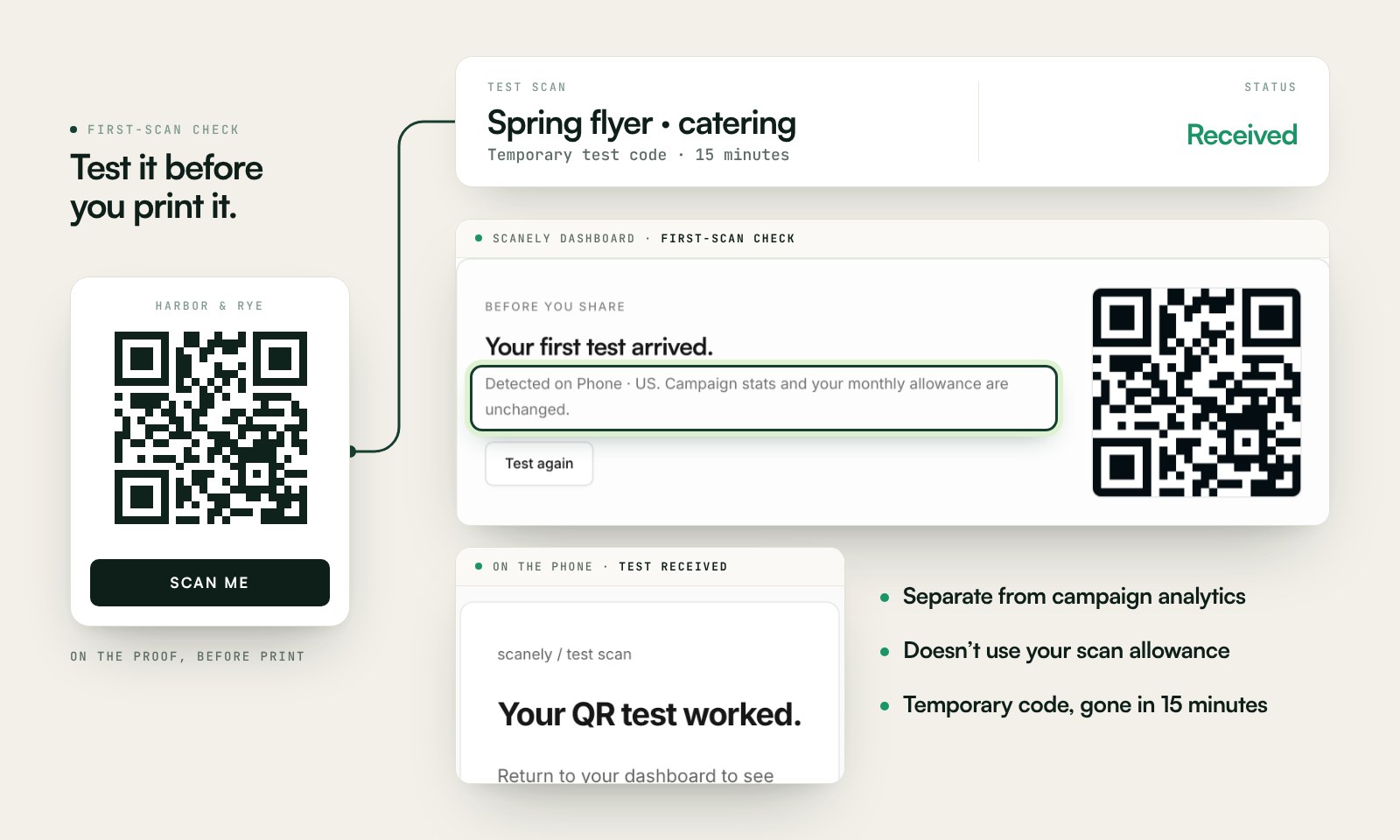
Scan a printed proof of your static download with a phone and check its destination. If you create a dynamic code in your Scanely account, First-scan check gives you a temporary test QR and confirms when your phone scans it.
The temporary code keeps test activity separate from campaign analytics. Never print it; download and test the final QR before ordering a batch.
Questions before you print
Is this QR code really free?
Yes. Download PNG or SVG without an account, watermark, or scan limit. Scanely does not set an expiry on this static QR; your destination must remain available.
Will my QR code expire?
No. A static code carries the link in the pattern itself, so there is nothing to switch off. Dynamic codes on the Free plan have no trial period and no expiry date either.
How do I make a QR code from a link?
Paste the complete address, pick the code and background colors, choose a PNG size and click Download. Scan the file with a phone before sending it to print.
Can I edit or track this download?
This static QR contains the destination directly and does not track scans. Continue with a free Scanely account to create a new dynamic QR using the same link and colors. Download the dynamic version before printing.
Which format should I use for print?
SVG stays sharp when resized. PNG is useful when your design tool requires an image. Keep the blank border and test the final printed design with a phone before printing a batch.