Free · No account needed
Instagram QR Code Generator
Enter your @username or profile link. We check that it points to a profile, then you download a QR for print or packaging.
Posts, reels, and stories are not accepted here. Use your profile.
Free static QR. No watermark, no scan limit, and no expiry set by Scanely. The destination must remain available.
Your QR code
Generated in your browser. Scanely does not upload your link to generate this static QR.
Keep the print. Change the link.
Create an account to make an editable QR and see scan counts. Your link, colors, and size will be ready in the creator.
A dynamic QR is a new code. Create and download it before printing; this static download will not become trackable.
What the profile check does
- Accepts
@yourbrand,yourbrand, andinstagram.com/yourbrandlinks, includingm.instagram.com. - Removes sharing parameters such as
?igsh=so the QR stays short and easy to scan. - Flags post, reel, and story links, the Instagram home page, short links, and links to other sites.
- Checks the username format: letters, numbers, periods, and underscores, up to 30 characters.
The check looks at the format only. It cannot confirm that the account exists or is public, so scan a test print before you order.
Where an Instagram QR works
Put it on packaging, shop windows, menus, event signs, and business cards, with a short reason to follow, such as “See new arrivals on Instagram.” Our Instagram QR guide covers placement and wording, and QR codes for social media compares profile, post, and link-hub codes.
Static or dynamic?
This free code is static: it always opens the same profile. If you want to count scans by placement or switch the QR to a campaign page later, create a dynamic QR code before printing. Size the code with the QR size calculator, or use the print templates.
Scanely is independent of Instagram and Meta.
Check the scan before your print run
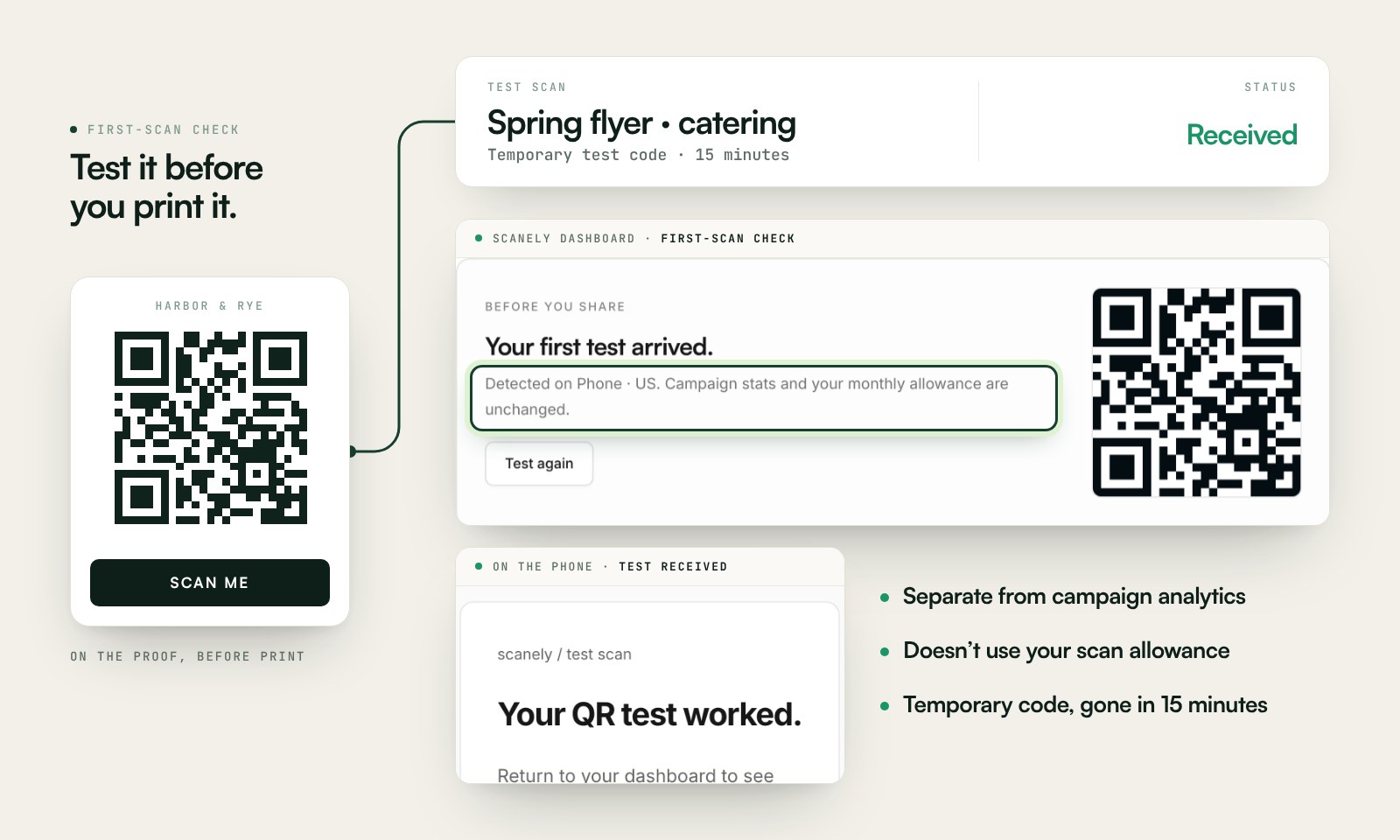
Scan a printed proof of your static download with a phone and check its destination. If you create a dynamic code in your Scanely account, First-scan check gives you a temporary test QR and confirms when your phone scans it.
The temporary code keeps test activity separate from campaign analytics. Never print it; download and test the final QR before ordering a batch.
Questions before you print
Is this Instagram QR code generator free?
Yes. Download a static QR for your profile as PNG or SVG. No account, watermark, or Scanely scan limit.
Can I enter my @username instead of a link?
Yes. Type @yourbrand or paste your profile link. The tool turns either into the standard instagram.com profile link and removes sharing parameters such as igsh.
Why does the tool reject my link?
It accepts profile links only. Links to a post, reel, or story, short links, and links to other sites are flagged, because a profile QR should open your profile. Usernames can contain letters, numbers, periods, and underscores, up to 30 characters.
Does the QR open the Instagram app?
The QR contains a normal https://www.instagram.com link. On most phones with Instagram installed, the system offers to open it in the app; otherwise it opens in the browser. Test it on the phones your audience uses.
Instagram already has a QR code. Why use this one?
Instagram can show a QR for your profile in the app. This tool gives you a plain, high-resolution PNG or SVG in your own colors for print layouts, and checks the link before you download.
What if I change my username?
A static QR keeps the old link, which may stop working after a username change. If that is likely, create a dynamic Scanely QR so you can update the destination after printing and count scans.