Free · No account needed
Service Reminder Sticker Maker
Oil change stickers for the windshield, call-for-service stickers for the furnace or the boiler, inspection stickers for equipment, "How's my driving?" stickers for fleet vehicles: your name, your phone, lines to fill in by hand and a QR that books the next visit or opens the feedback form. A label sheet or bumper sticker PDF, free, in your browser.
Free forever. Your codes never expire.Your booking page, website, Google review link or contact page. Public and https.
Printed at the top of every sticker.
Free static QR. No watermark, no scan limit, and no expiry set by Scanely. The destination must remain available.
Your QR code
Generated in your browser. Scanely does not upload your link to generate this static QR.
For the windshield, the furnace, the unit
A sheet of reminder stickers with your QR.
Your name and phone, a heading, ruled lines you fill in by hand, and the code. The PDF fills a whole label sheet with the same sticker, or prints one sticker per page for a print shop.
Printed large under your name, so the customer can call without scanning.
Add a valid link above to prepare your stickers.
Print at 100% / actual size. Test one page on plain paper and hold it against the label sheet before printing on the labels. Avery is a trademark of its owner; compatible sheets with the same layout print the same way.
One sticker
Next oil change
Date
Or at (miles)
Thank you for your visit.
Content preview. Your PDF uses the Avery 5163 · US Letter, 10 stickers of 4 × 2 in layout.
Keep the print. Change the link.
Create an account to make an editable QR and see scan counts. Your link, colors, and size will be ready in the creator.
A dynamic QR is a new code. Create and download it before printing; this static download will not become trackable.
What a service reminder sticker does
A service reminder sticker stays where the customer will look when the next service is due: top left of the windshield after an oil change, on the furnace, the boiler, the air handler or the water heater after an installation, on a machine after an inspection. It carries your name, your phone and the date or mileage you write by hand. The QR code adds the part a sticker could never do before: one scan opens your booking page, your website or your review form, so the customer books the next visit instead of searching for a shop.
This page makes the file. Scanely does not print or sell stickers: you print the PDF on label sheets at the shop or send the single-sticker file to a print shop.
Four stickers
- Oil change: "Next oil change" with a line for the date and a line for the mileage, your phone in large type, "Scan to book your next service" under the code. Stock: removable or static-cling labels for the windshield.
- Call for service: "For service, call" with the phone first, then Installed, Last service and Next service lines. For HVAC installers, plumbers, electricians and heating engineers; the sticker lives on the unit for ten years, so choose a durable label and a link that will still work.
- Equipment: "Serviced by" with Model / serial, Last inspection and Next inspection. For machines, extinguishers, lifts, compressors and rental gear.
- How's my driving? The question, your phone in large type, a line for the vehicle number and "Scan to tell us" under a code that opens your feedback form. It starts on the bumper sticker of 10 × 3.5 in; the code can lead to a Google Form, to the link from the survey QR code generator or to the Quick feedback page in your Scanely account, where the driver's vehicle number goes into the message field. Scanely is not a fleet system: the form you link receives the comments.
Every heading, line and caption is editable, so "Or at (miles)" becomes "Or at (km)" and "Next inspection" becomes whatever your trade calls it.
Sheets and printing
The PDF fills Avery 5163 (US Letter, ten stickers of 4 × 2 in) or Avery L7165 (A4, eight stickers of 99.1 × 67.7 mm) with the same sticker, because a shop fills in the date by hand. Avery sells these layouts as paper, removable, waterproof and film labels; compatible sheets from other brands with the same layout work the same. Print at 100%, never fit to page, run the first page on plain paper and hold it against the sheet. Avery is a trademark of its owner; Scanely is not affiliated with Avery.
For static clings, vinyl or large runs, choose the single sticker of 100 × 60 mm or the bumper sticker of 10 × 3.5 in and send the PDF to a print shop. There is no format for Brother, Zebra or other roll label printers yet. The QR code label maker covers plain QR labels on four Avery layouts, including a list of different links.
Keep the link editable
The free code is static: the link is printed into the pattern. A sticker on a boiler outlives booking systems, phone numbers and websites, and a static code cannot follow. If anything may change, create a dynamic QR in your Scanely account first, paste its short link into the field above and print the stickers with that. The destination stays editable after printing, and the code counts scans, so you see whether the windshield or the furnace brings the calls. The Free plan includes three dynamic codes; Starter is $9 per month.
If your customers book online, the booking QR code generator turns the booking link into a door sticker and two-sided appointment cards. Need a sign for the counter as well? The QR print templates cover signs and table stands. For a card that asks for reviews, use the Google review card, and check the QR in your downloaded image before printing.
Check the scan before your print run
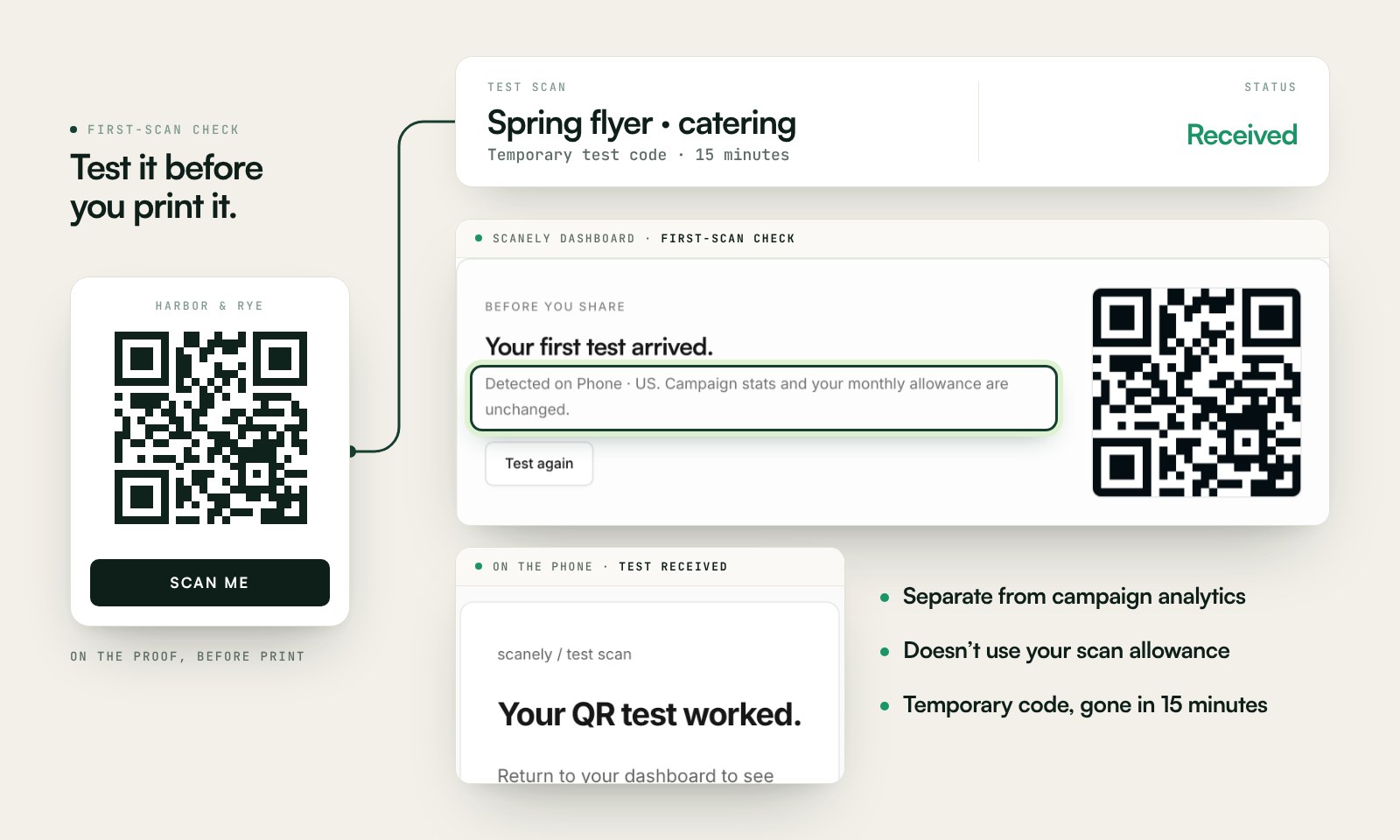
Scan a printed proof of your static download with a phone and check its destination. If you create a dynamic code in your Scanely account, First-scan check gives you a temporary test QR and confirms when your phone scans it.
The temporary code keeps test activity separate from campaign analytics. Never print it; download and test the final QR before ordering a batch.
Questions before you print
Is the sticker maker free?
Yes. Download the sheet PDF and the QR as PNG or SVG. No account, watermark or Scanely scan limit. Scanely does not print or sell stickers: you print the PDF on label sheets or send it to a print shop.
Which label sheets does it use?
Avery 5163 (US Letter, ten stickers of 4 × 2 in) and Avery L7165 (A4, eight stickers of 99.1 × 67.7 mm), or one sticker of 100 × 60 mm per page for a print shop. Avery is a trademark of its owner; Scanely is not affiliated with Avery. Compatible sheets with the same layout print the same way.
Can I print on a static cling or a weatherproof label?
Yes, if your printer takes that stock: Avery sells removable, waterproof and film labels in the same layouts, and print shops print static clings from the single-sticker PDF. Laser sheets for laser printers, inkjet sheets for inkjets.
Does it work with my label printer?
Not yet. The PDF is laid out for A4 and Letter label sheets and for print shops; there is no format for Brother, Zebra or other roll label printers. Tell us through the Contact page if you need one.
Where should the QR code lead?
To the page the customer needs in a year: your online booking page, your website, a Google review link or a contact page. Keep it public and https. The sticker only carries that link; Scanely does not take bookings.
What if my phone number or booking system changes?
The free code is static, so the link printed on a furnace in 2026 still opens the same address in 2036. If anything may change, create a dynamic QR in your Scanely account first and paste its short link here: its destination stays editable after printing and it counts scans.
How many stickers are on a sheet?
Ten on Avery 5163, eight on Avery L7165, all with the same content, because a shop fills in the date and mileage by hand. Print as many sheets as you need.
Can I make a "How's my driving?" sticker?
Yes. Choose the How's my driving sticker: it prints the question, your phone number in large type, a ruled line for the vehicle number and a QR that opens your feedback form, a Google Form, a survey link or the Quick feedback page from your Scanely account. It starts on the bumper sticker size of 10 × 3.5 in for a print shop; the Avery sheets work for doors and dashboards. Scanely is not a fleet system and sees no reports; the form you link receives them.