Free · No account needed
Document QR Code Generator
Paste the share link of a Google Doc, Sheet or Slides deck, a Word, Excel or PowerPoint file on OneDrive, or a Dropbox file. Download a QR for a handout, a notice board or a manual.
Free forever. Your codes never expire.Share the file with anyone who has the link first, then copy that link. The tool opens Google files in view mode instead of the editor.
Free static QR. No watermark, no scan limit, and no expiry set by Scanely. The destination must remain available.
Your QR code
Generated in your browser. Scanely does not upload your link to generate this static QR.
Keep the print. Change the link.
Create an account to make an editable QR and see scan counts. Your link, colors, and size will be ready in the creator.
A dynamic QR is a new code. Create and download it before printing; this static download will not become trackable.
Share first, then make the code
Every “the QR code does not work” complaint about a document is a sharing setting. A Google Doc shared with your organisation only, a OneDrive file limited to people you choose, a Dropbox file path instead of its share link: all of them ask strangers to sign in. Set the file to anyone with the link before you copy the link, and open the link in a private browser window. If it opens there, the code will open for everyone.
What the tool does with each link
- Google Docs, Sheets, Slides. The
/editending becomes/preview, so a scan shows the document instead of the editor; published links (/pub) are kept. A Google Form is sent to the Google Forms QR generator. - Google Drive files and folders. One file or one folder; Drive home is rejected.
- OneDrive and SharePoint.
1drv.ms,onedrive.live.comandsharepoint.comlinks are kept as pasted, with a reminder that organisation links often need sign-in. - Dropbox and Box. Share links are kept;
dl=1is set todl=0so the file opens in the browser instead of downloading. - Any other https link is accepted with the same signed-out test.
Where a document QR code works
- Handouts and slides. The code on the last slide opens the deck or the notes.
- Notice boards. The rota, the menu plan or the rules as a Sheet that stays current.
- Manuals and equipment. The instructions as a Doc next to the machine; pair it with the asset tag generator for numbered tags.
- Forms to print and fill. A Word or Excel template people download themselves.
How to create a document QR code
- Share the file with anyone who has the link. Google: Share, General access, Anyone with the link, Viewer. OneDrive or Dropbox: Share, Copy link.
- Paste the link here. The tool recognises the service, switches Google links to view mode and shows what the code will open.
- Download and test. Download PNG or SVG, print a proof, and scan it with a phone that is signed out of your accounts.
A static code follows the link, not the file
This download contains the link itself and cannot be edited or counted. Editing the document behind the same link is fine; a new file, a moved file or a different account means a new link, and a static code will not follow. Create a dynamic QR code first if the handout should point at next year’s version; the destination changes in the dashboard, the printed code stays. Free includes 3 dynamic codes and 1,000 scans a month. Hosting the file at Scanely instead of a drive is on Starter, Pro and Business.
See pricing. A PDF uses the PDF QR generator, a Google Form the Google Forms QR generator, a Drive folder the Google Drive QR generator, and numbered equipment the asset tag generator.
Scanely is independent of Google, Microsoft, Dropbox and Box.
Check the scan before your print run
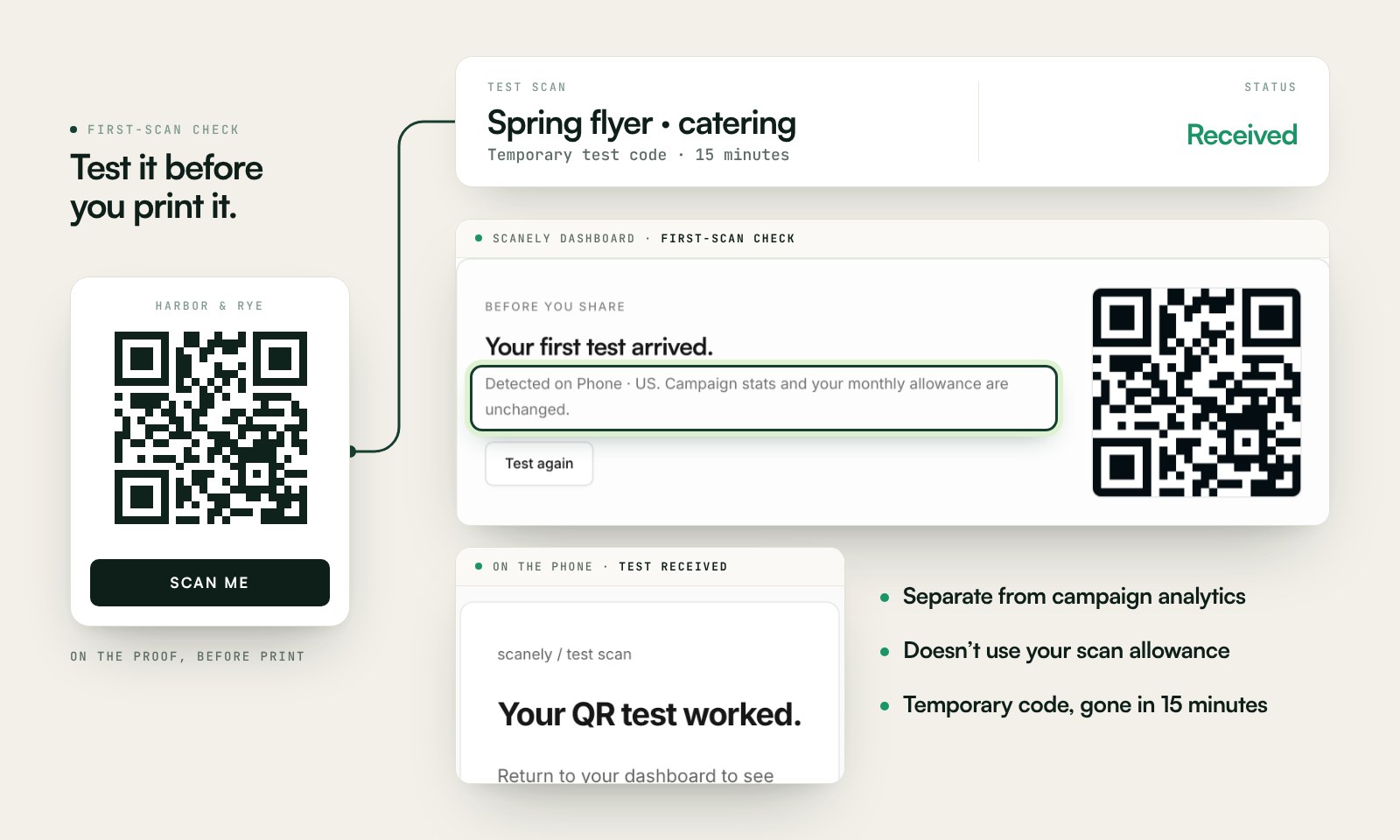
Scan a printed proof of your static download with a phone and check its destination. If you create a dynamic code in your Scanely account, First-scan check gives you a temporary test QR and confirms when your phone scans it.
The temporary code keeps test activity separate from campaign analytics. Never print it; download and test the final QR before ordering a batch.
Questions before you print
Is this document QR code generator free?
Yes. PNG and SVG are free, with no account, watermark or scan limit from Scanely. Scanely does not host or copy the document; the code opens the link you pasted.
Why does the QR ask people to sign in?
Because the document is not shared with everyone. In Google choose Share, then General access, Anyone with the link; in OneDrive or SharePoint choose Share and allow anyone with the link; in Dropbox copy the share link, not the file path. Test in a private window.
Will people be able to edit my Google Doc?
Not through this code. Google links ending in /edit are changed to /preview, so the scan opens a read-only view. People who already have edit rights can still open the editor themselves.
Can I update the document after printing?
Yes, as long as the link stays the same: edit the Google Doc or replace the file in OneDrive and Dropbox using their version features. A new file has a new link, and a static code will not follow it; a dynamic Scanely code can be pointed at the new file.
Which services are accepted?
Google Docs, Sheets, Slides and Drive files, OneDrive and SharePoint files (1drv.ms, onedrive.live.com, sharepoint.com), Dropbox and Box share links, and any other https link to a document, with a reminder to test it signed out.
Can I turn a document into a PDF QR code instead?
If the document is a PDF, use the PDF QR code generator, which checks PDF links and explains hosting. For a live document that keeps changing, this page is the right one.