Free · No account needed
Google Drive QR Code Generator
Paste a Google Docs, Sheets, Slides, Drive file, or folder link. The tool checks the address, then you download a QR for a handout, sign, or packet.
In the file or folder, choose Share, then Copy link. Set access to “Anyone with the link” when strangers should open it. An /edit link is changed to /preview unless you keep the original.
Free static QR. No watermark, no scan limit, and no expiry set by Scanely. The destination must remain available.
Your QR code
Generated in your browser. Scanely does not upload your link to generate this static QR.
Keep the print. Change the link.
Create an account to make an editable QR and see scan counts. Your link, colors, and size will be ready in the creator.
A dynamic QR is a new code. Create and download it before printing; this static download will not become trackable.
Docs, Sheets, and Slides
- Google Docs. An /edit link is changed to /preview, and the page says so. Keep the original only when the scan should open the editor. Use preview for a brief, a lyrics sheet, or a policy people should read on a phone.
- Google Sheets. A gid in the link is kept, so the QR can open a specific tab. A published sheet link stays on its pubhtml address.
- Google Slides. Preview is a better phone view than the editor. A deck you will replace next month is a weak target for a permanent sign.
- Drive files and folders. A single shared file, such as a PDF stored in Drive, is accepted. A folder share link is accepted too, and opens that folder. People still need permission for each file inside it.
The check looks at the address only. It cannot see whether sharing is public, whether the file still exists, or whether viewers can comment.
How to create a Google Drive QR code
- Copy the share link. In Google Drive, Docs, Sheets, or Slides, choose Share, then Copy link. A shared folder link works too.
- Paste it here. An /edit link is changed to /preview unless you keep the original. A folder link stays a folder link.
- Download the QR. Download PNG or SVG. If you may replace the file, print a dynamic Scanely code so the same print can open the next file and Scanely can count scans.
Static file, or a code you can retarget
This download is static. It always opens the same Google address, with no Scanely account and no scan count. If you might replace the deck, the sheet, or the PDF, create a dynamic QR code and print that image. Free includes 3 dynamic codes and 1,000 scans a month. The codes keep redirecting. A static file you already downloaded cannot be switched on later.
See pricing. A form uses the Google Forms QR generator. A PDF link that is not in Drive uses the PDF QR generator. A map pin uses the Google Maps QR generator. Size the code with the QR size calculator.
Scanely is independent of Google. Google Docs, Google Sheets, Google Slides, and Google Drive are products of Google.
Check the scan before your print run
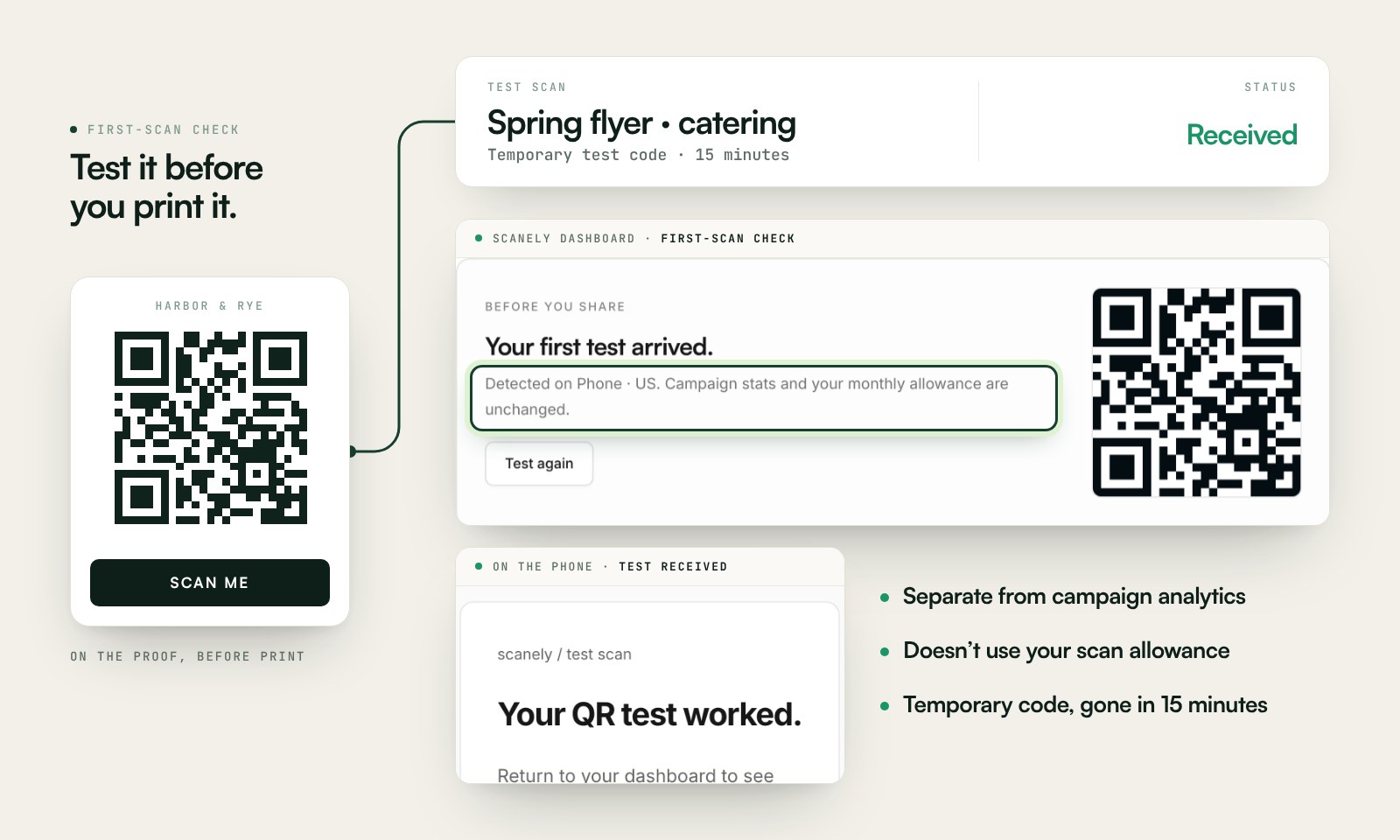
Scan a printed proof of your static download with a phone and check its destination. If you create a dynamic code in your Scanely account, First-scan check gives you a temporary test QR and confirms when your phone scans it.
The temporary code keeps test activity separate from campaign analytics. Never print it; download and test the final QR before ordering a batch.
Questions before you print
Which Google files can this QR open?
A Google Doc, Google Sheet, Google Slides deck, Google Drawing, a single file in Google Drive, or a shared Drive folder. Paste the share link. Drive home and Google Forms are rejected. Forms belong on the Google Forms QR generator.
Will people need a Google account to open it?
Only if sharing is restricted. Set the file or folder to “Anyone with the link” when the audience should open it without signing in, then try the link in a private window before you print. A folder still respects the sharing of each file inside it.
Does an edit link work in a QR code?
By default this tool changes a Doc, Sheet, Slides, or Drawing /edit link to /preview, and tells you that it did. Preview is the reading view. Check “Keep the original /edit link” if the scan should open the editor instead. A sheet’s gid is kept. A published /pub or /pubhtml link stays published. The file still has to be shared with the people who scan.
What happens if I replace the file?
A static QR keeps the address you encoded. A new file usually has a new id, so existing prints keep opening the old one. Create a dynamic Scanely code before printing if you may swap the file later and want scan counts.
Is the Google Drive QR code generator free?
Yes. The PNG or SVG is a static download with no account and no watermark. Scanely does not host the Google file. The file has to stay shared at that address.
How is this different from a Google Forms QR?
Forms use a responder link and a different check. This page is for Docs, Sheets, Slides, Drawings, Drive files, and shared Drive folders. A form link is sent to the Google Forms QR generator.