Free · No account needed
Venmo QR Code Generator
Enter @yourname or paste your venmo.me link. Download a QR for a tip jar, a market stall, an invoice or a fundraiser flyer. The person sets the amount in Venmo.
Free forever. Your codes never expire.In Venmo, open your profile and copy the venmo.me link, or type your @username.
Free static QR. No watermark, no scan limit, and no expiry set by Scanely. The destination must remain available.
Your QR code
Generated in your browser. Scanely does not upload your link to generate this static QR.
Keep the print. Change the link.
Create an account to make an editable QR and see scan counts. Your link, colors, and size will be ready in the creator.
A dynamic QR is a new code. Create and download it before printing; this static download will not become trackable.
What the code opens
A Venmo profile link looks like venmo.com/u/yourname. The tool accepts your @username, venmo.com/yourname, account.venmo.com/u/yourname and the payment link account.venmo.com/pay?recipients=yourname, and normalises all of them to the profile link. On a phone with Venmo the link opens your profile in the app with the Pay button; the person enters the amount and a note, confirms, done. There is no way to put an amount into a profile link, so print the price beside the code.
The in-app QR code and this one
Venmo generates a QR code for every profile; it is the quickest way to pay a friend across a table. For print you often want more than the app screen gives you: a file in PNG or SVG, your brand colour, a size that still scans from a counter, and the quiet zone a scanner needs around the code. This tool gives you that file. If the account behind the code may change, a dynamic Scanely code lets you redirect the printed code to a business profile or a colleague without reprinting the sign.
Where a Venmo QR code works
- Tip jar. A card on the counter with the code and “Tips” next to it.
- Market stall or pop-up. A sign by the till with the code and the prices.
- Invoice. The code in the footer with the amount printed next to it.
- Fundraiser. A flyer or a slide with the code and what the money is for.
Zelle has no public payment link; its QR codes exist only inside banking apps and cannot be generated here. For PayPal use the PayPal QR generator; for Cash App the Cash App QR generator.
How to create a Venmo QR code
- Find your Venmo link. In the Venmo app open your profile; the link under your name is venmo.com/u/yourname. Or type @yourname here.
- Paste it and check the preview. The tool turns it into the standard profile link and shows what the code will open.
- Download and print. Download PNG or SVG, print a proof at the size you will use, and pay yourself one cent from another phone to test it.
A static code keeps one account
This download contains the profile link itself and cannot be edited or counted. If the sign should later point at another account, create a dynamic QR code first and print that one; the destination changes in the dashboard, the print stays. Free includes 3 dynamic codes and 1,000 scans a month.
See pricing. A review request for the same counter uses the Google review card; a sign for the till the QR print templates.
Scanely is independent of Venmo and does not handle payments.
Check the scan before your print run
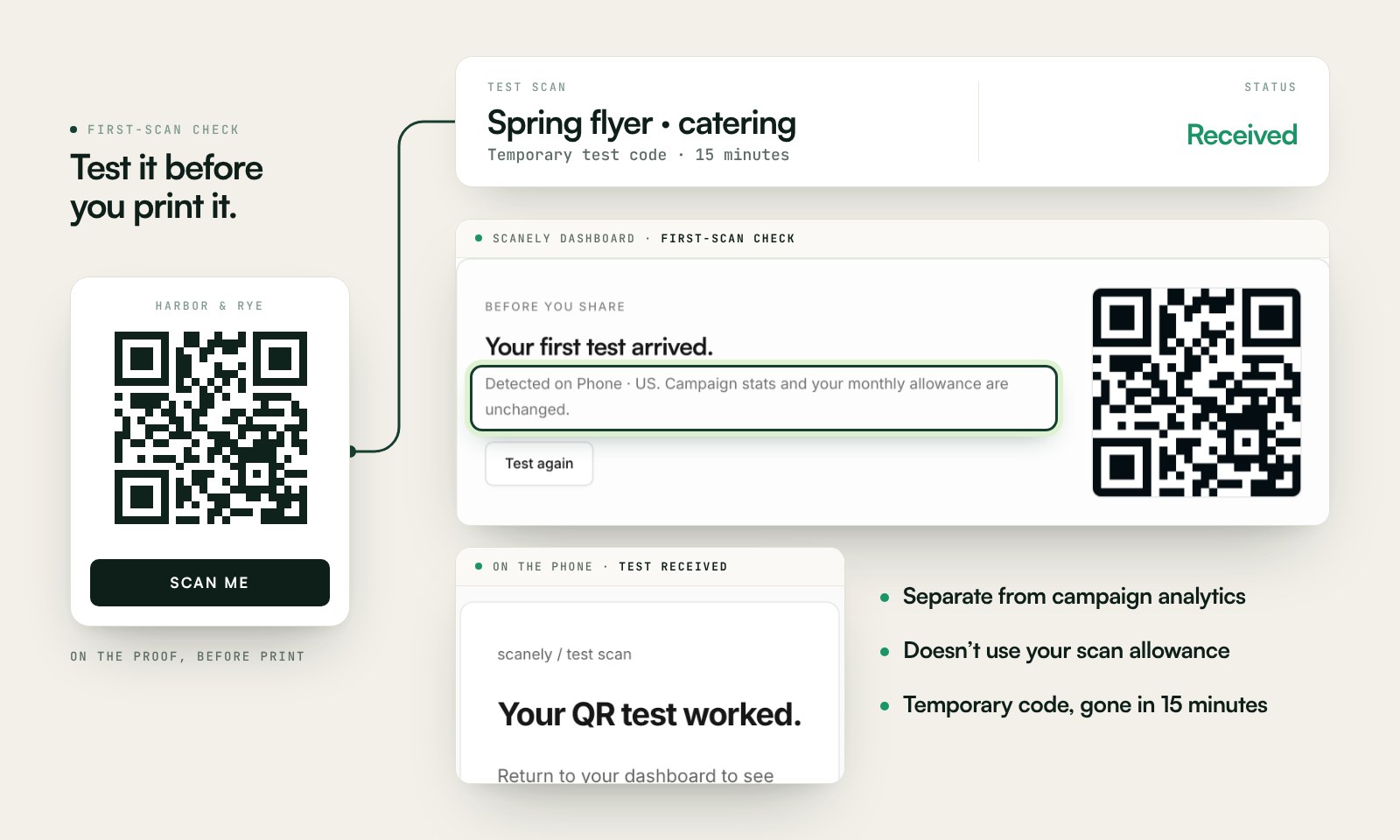
Scan a printed proof of your static download with a phone and check its destination. If you create a dynamic code in your Scanely account, First-scan check gives you a temporary test QR and confirms when your phone scans it.
The temporary code keeps test activity separate from campaign analytics. Never print it; download and test the final QR before ordering a batch.
Questions before you print
Is this Venmo QR code generator free?
Yes. PNG and SVG are free, with no account, watermark or scan limit from Scanely. Scanely does not touch the payment; the code only opens your Venmo profile.
How is it different from the QR code in the Venmo app?
Venmo shows a QR for your profile under Scan in the app. This tool makes the same kind of link as a plain, printable file in the size and colours you choose, with the empty border a scanner needs, and it can be a dynamic code you point at another account later.
Can I set the amount?
Not in the link. Venmo profile links do not carry an amount; the person enters it. Write the price next to the code, or use an invoice with the amount printed.
Does the person need Venmo?
Yes. Venmo is a US service and the person needs the app and an account to pay. People without it see your profile page and an invitation to install Venmo.
Can I change the account after printing?
A static code keeps the link you encoded. Print a dynamic Scanely code if the tip jar might move to a business profile or another person later; the printed code stays the same. Free includes 3 dynamic codes.
Is it safe to print my Venmo link?
The link shows your public profile, the same one anyone can find by searching your username in Venmo. Keep your friends list private in Venmo settings if you do not want it shown.