Free · No account needed
QR Code Plaque Maker
Paste the link of the page the plaque should open and lay out the plaque: a title everyone reads without a phone, one sentence, the code and a caption, at 4 × 3, 6 × 4 or 8 × 6 inches or as an A6 or A5 label. Download the PDF as the proof for the engraver and the code as SVG. The plaque lasts decades; the page behind it can change.
Free forever. Your codes never expire.The story behind the plaque: a Story label or Memorial page from your Scanely account, a page on your site or a collection record. Public and https.
Free static QR. No watermark, no scan limit, and no expiry set by Scanely. The destination must remain available.
Your QR code
Generated in your browser. Scanely does not upload your link to generate this static QR.
For the engraver or the laminator
The plaque layout, at its exact size.
A title everyone reads without a phone, one sentence, the code and a caption. Download the PDF as the proof for the engraver, or print and laminate it yourself.
Add a valid link above to prepare your plaque.
The PDF is the plaque at 100% / actual size with a thin edge guide. Engravers etch from it or from the SVG above; keep black on a light surface and the empty border around the code. Scan a printed proof before the plaque is made.
Your plaque
Everyday Vessels, 2024
Scan to learn about this work
Content preview. Your PDF uses the 6 × 4 in plaque · 152.4 × 101.6 mm, landscape, for a wall or a gate size.
Behind the plaque
A story page that outlives the website.
The Story label template in your Scanely account is the page behind an artwork, a tree, a bench or a building: a photo, the title, the maker and the year, the story in a few paragraphs, an audio guide link and a form for visitors to leave a note. Point a dynamic code at it, engrave the code, and edit the page for as long as the plaque stands.
- The Free plan includes three dynamic codes; Starter is $9 per month for 50 codes, Business has no code limit for a whole trail or collection.
- A dynamic code keeps the engraved plaque right after a website move; a static code cannot.
- Scanely does not engrave or sell plaques: it makes the code, the layout and the page.
What a scan shows
Sample content: the Story label template. Dashboard > Pages > New page > Simple page.
Keep the print. Change the link.
Create an account to make an editable QR and see scan counts. Your link, colors, and size will be ready in the creator.
A dynamic QR is a new code. Create and download it before printing; this static download will not become trackable.
What a QR plaque is for
A plaque has room for a name and a date. The story behind it, who planted the tree, what the mill made, who the bench remembers, what the sculptor was thinking, needs a page. The code on the plaque opens that page: a visitor on the trail, a guest at the gallery, a grandchild at the grave scans it and reads, listens or leaves a note. The plaque stays short and dignified; the page carries the rest.
This page makes the files. Scanely does not engrave or sell plaques: you send the PDF or the SVG to an engraver, a sign maker or a laser-cutting shop, or print and laminate a label yourself.
Static or dynamic, and why it matters here
A static code carries the link itself. On a flyer that is fine; on a plaque that will stand for twenty years it is a bet that the page never moves. A dynamic code from your Scanely account opens a short link you can point at a new page any time, so a website redesign, a new collection system or a new host never leaves a wrong plaque on the wall. It also counts scans, which tells a museum or a parks department which plaques are read. The promise for printed codes says in writing what happens to a Scanely code. The Free plan includes three dynamic codes; Starter is $9 per month for 50 codes; Business has no code limit for a whole trail.
The layout and the engraver
The kit prints the plaque at 100% with a thin edge guide: a title in large type, one sentence, the code and the caption that tells people what the code does, "Scan to read their story" or "Scan for the history of this place". Sizes follow what engravers stock: 4 × 3 inches for a bench or a tree stake, 6 × 4 for a wall or a gate, 8 × 6 for a building or a monument, plus A6 and A5 labels for exhibits and trail posts. The engraver etches the PDF as it is or sets the text in the house font and keeps the code; the SVG from the generator above is the bare code as vector paths for a laser or a CNC. Stainless steel, anodized aluminium, brass and slate scan well when the contrast is high; polished bronze and clear acrylic do not. Keep the code black on a light surface, or light-filled on dark metal, and keep the empty border.
Size and weather
A code read from arm's length wants 40 mm; on a wall 58 mm; on a building read from the path 86 mm. The check under the form shows the module size for your link, and a dynamic short link keeps the code coarse, which matters when rain, dust and twenty summers have dulled the surface. Before you order, print the PDF on card, laminate it and fix it where the plaque will go: if the proof scans in sun and in shade, the engraving will. The QR size calculator gives the numbers for any other distance.
The page behind the plaque
The Story label template is the page for an artwork, a tree, a bench or a building: a photo, the title, the maker and the year, the story, an audio guide link and a form for visitors to leave a note. For a grave or an urn, the memorial QR code page and its Memorial template carry a portrait, the dates and a guest book. A museum with a collection database points the code at the record instead. Whatever the page, make it load fast on a phone in the open air, say who wrote it, and leave a way to get in touch.
For small tags rather than plaques, the asset tag generator numbers equipment and the QR code label maker prints a list of codes on Avery sheets; you can check the QR in your downloaded image before anything is engraved.
Check the scan before your print run
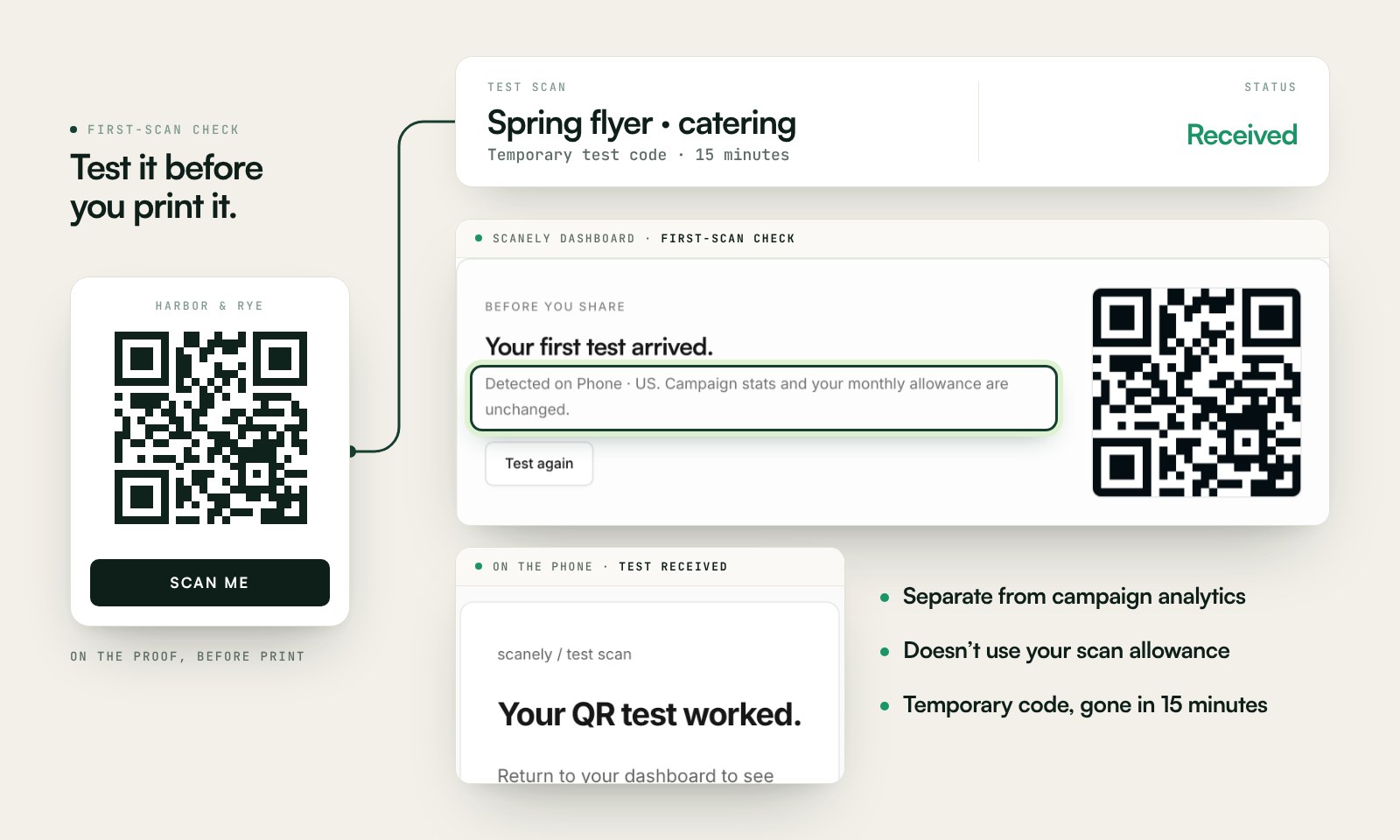
Scan a printed proof of your static download with a phone and check its destination. If you create a dynamic code in your Scanely account, First-scan check gives you a temporary test QR and confirms when your phone scans it.
The temporary code keeps test activity separate from campaign analytics. Never print it; download and test the final QR before ordering a batch.
Questions before you print
Is the QR plaque maker free?
Yes. Download the QR as PNG or SVG and the plaque layout as a PDF at its exact size. No account, no watermark and no scan limit on a static code. Scanely does not engrave or sell plaques: you send the PDF or the SVG to an engraver, a sign maker or a laser-cutting shop, or print and laminate the label yourself.
What should the code open?
A page that will still be there when the plaque is twenty years old: the story of the bench, the tree or the building, a memorial page with a portrait and a guest book, an artwork page with the artist, the year and an audio guide link. The Story label and Memorial templates in your Scanely account are built for that; a page on your own website or a museum collection record works too.
Static or dynamic code for a plaque?
A static code carries the link itself: if the page moves, the plaque is wrong forever. A dynamic code from your Scanely account opens a short link you can point at a new page any time, and it counts scans. For a plaque that outlives a website redesign, print the dynamic code. The Free plan includes three dynamic codes; Starter is $9 per month for 50.
How does an engraver use the files?
The PDF is the plaque at 100% with a thin edge guide: the engraver etches the layout as it is, or replaces the type with the house font and keeps the code. The SVG from the generator is the bare code as vector paths, which a laser or a CNC engraver follows directly. Keep the code black on a light surface, or ask for a light-filled engraving on dark metal, and keep the empty border around it.
How large should the code be outdoors?
At least 40 mm for a plaque read from arm’s length, 58 mm on a wall and 86 mm on a building or a monument read from a path; the sizes here follow that rule. The check under the form confirms the module size for the link you pasted. Longer links make denser codes: a dynamic short link keeps the code coarse and easy to scan when the metal weathers.
Which materials work?
Laser-engraved stainless steel, anodized aluminium, brass and slate scan well when the contrast is high; etched clear acrylic and polished bronze do not. For a trial, print the PDF on card, laminate it and fix it where the plaque will go: if the laminated proof scans in sun and shade, the engraved version will.
Can the plaque collect messages?
The Story label and Memorial templates include a form: visitors leave a memory or a note, and it lands in Leads in your dashboard and in your email. Scanely hosts the page and passes the messages on; it does not moderate or publish them.