Free · No account needed
Circular QR Code Generator
Paste a link and get a QR code drawn with round dots and circular eyes instead of squares. Change the shapes with one click, keep the contrast, download PNG or SVG.
Free forever. Your codes never expire.The QR opens this link directly.
Free static QR. No watermark, no scan limit, and no expiry set by Scanely. The destination must remain available.
Your QR code
Generated in your browser. Scanely does not upload your link to generate this static QR.
Keep the print. Change the link.
Create an account to make an editable QR and see scan counts. Your link, colors, and size will be ready in the creator.
A dynamic QR is a new code. Create and download it before printing; this static download will not become trackable.
What a circular QR code is
A QR code is always a square grid of modules; phone cameras look for the three square finder patterns in its corners. A circular or dotted QR code keeps that grid and changes only how each module is drawn: round dots instead of squares, and round finder eyes instead of square ones. The result looks softer on a card, a label or a sticker and scans like any other code, as long as the contrast and the size are right. This tool draws no round frame around the code.
When dots scan reliably
A dot covers less of its module than a square, so the pattern has slightly less ink. This generator therefore renders shaped codes with error-correction level Q instead of M and keeps the four-module quiet zone around the code. Keep a dark code on a light background with at least 4.5:1 contrast, print at 25 mm or wider, and scan the printed proof with a phone before you order a batch. Very long links make dense codes; for those, use square modules or a shorter address.
Shapes you can choose
- Modules: square, rounded, dots, classy and extra rounded.
- Eyes: square, rounded, circle and leaf.
The same picker is on every free tool page, so a WiFi, vCard or Google review code can take the same look. Logos in the middle of the code are a feature of dynamic codes in a Scanely account.
Static or dynamic
The download above is static: the link sits in the pattern and cannot change. For a code you can redirect after printing, with scan counts, create a dynamic code in the dynamic QR generator and give it the same shapes in the dashboard. Sizes and contrast for print are on the print a QR code page, and the QR scanner checks a downloaded file before it goes to print.
Check the scan before your print run
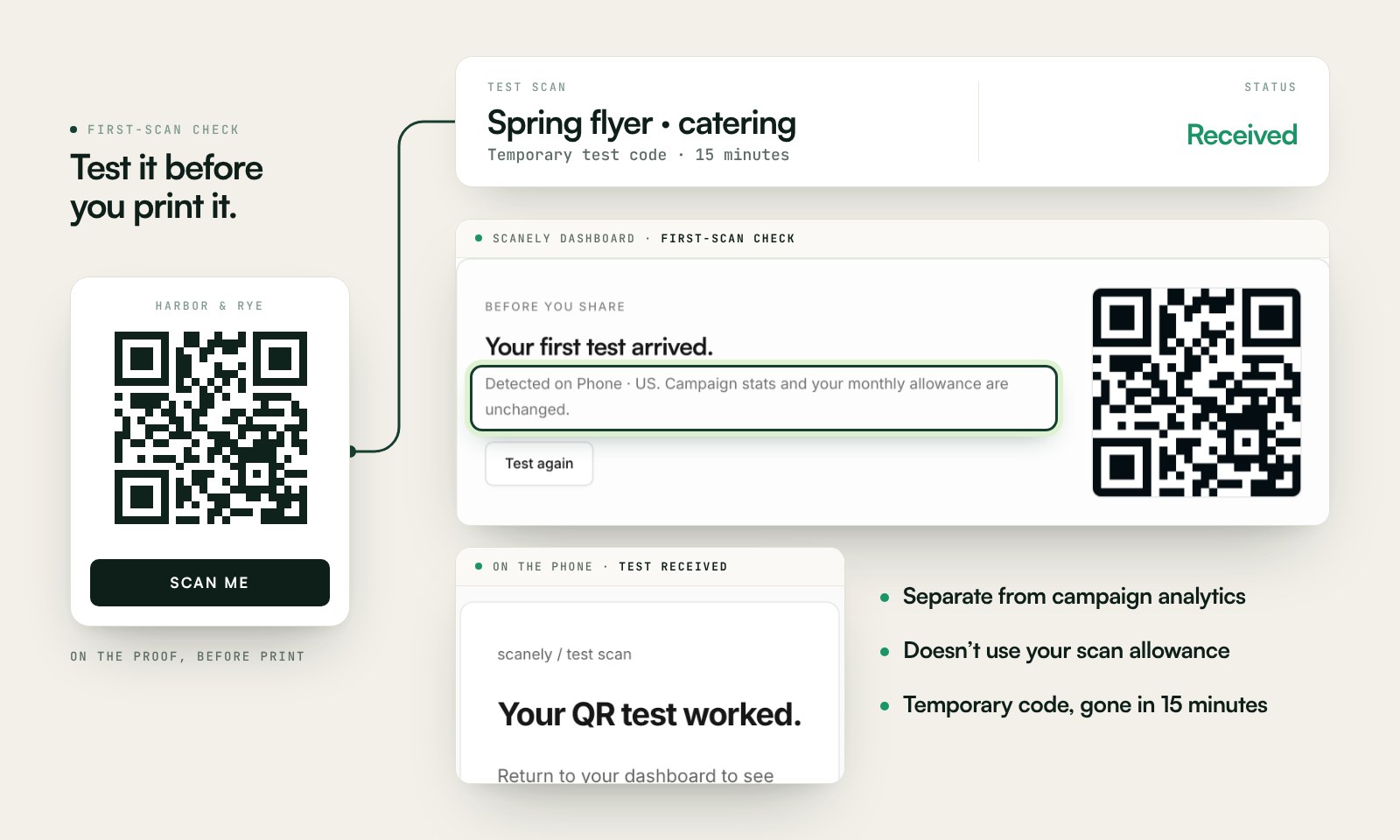
Scan a printed proof of your static download with a phone and check its destination. If you create a dynamic code in your Scanely account, First-scan check gives you a temporary test QR and confirms when your phone scans it.
The temporary code keeps test activity separate from campaign analytics. Never print it; download and test the final QR before ordering a batch.
Questions before you print
Is a circular QR code really round?
The code stays a square grid of modules, which is what every phone camera expects. Circular means the modules are drawn as dots and the three finder patterns are round. This tool draws no round frame or circular outline around the code.
Do dotted QR codes scan as well as square ones?
Yes, when the dots are large and the contrast is strong. Dots are a little smaller than squares, so this tool switches shaped codes to a higher error-correction level and keeps the four-module quiet zone. Scan the printed proof before a big run.
Which shapes are available?
Modules: square, rounded, dots, classy and extra rounded. Eyes: square, rounded, circle and leaf. Mix them freely; the preview updates as you click.
Is the circular QR code generator free?
Yes. Download PNG or SVG with no account, no watermark and no scan limit set by Scanely. The link is inside the code, so there is nothing to expire.
Can I put a logo in the middle?
Not in this free tool. Logos are added to dynamic codes in a Scanely account, where the code also stays editable after printing and counts scans.
Can I change the link after printing?
A static code cannot change. For a code you can redirect later, create a dynamic QR in a free Scanely account and give it the same shapes there.
How large should a dotted code be printed?
At least 25 mm wide with a clear border, more on textured paper or behind glass. The print a QR code page has a size and contrast check for your design.