Free · No account needed
Facebook QR Code Generator
Paste your Facebook Page link. We reject posts, share wrappers, and the home page, then you download a QR for a window, flyer, or card.
Copy the Page address from the browser bar. A Share link on a post is not the Page.
Free static QR. No watermark, no scan limit, and no expiry set by Scanely. The destination must remain available.
Your QR code
Generated in your browser. Scanely does not upload your link to generate this static QR.
Keep the print. Change the link.
Create an account to make an editable QR and see scan counts. Your link, colors, and size will be ready in the creator.
A dynamic QR is a new code. Create and download it before printing; this static download will not become trackable.
Page link, not a post
Open the Page on a computer and copy the address. A public Page is often facebook.com/yourpage or a longer facebook.com/pages/… address. The Share button on a post copies that post, a photo, or a short fb.me link. Those are rejected here because a printed code should land on the Page, where hours, photos, and updates live.
Profiles (profile.php?id= or facebook.com/people/…), groups, and events are accepted, with a warning. Profiles and private groups often require a login. An event link is useful on a poster for that date and a weak choice for a sign you will not replace.
Where a Facebook QR earns its space
A shop window can say “Today’s hours and photos” and open the Page. A community flyer can open a group, after you confirm a logged-out visitor sees something useful. Pair it with a reason to scan. For several networks on one print, read QR codes for social media.
Static or dynamic?
This file is static: the Page address is inside the image. There is no Scanely redirect and no scan count. Renaming the Page, or later pointing the same poster at an event, means a new image. Create that image as a dynamic QR before the print run if you want to edit the destination and see scans. Free includes 3 dynamic codes.
Check the print size with the QR size calculator. Related tools: Instagram and LinkedIn.
Scanely is independent of Facebook and Meta.
Check the scan before your print run
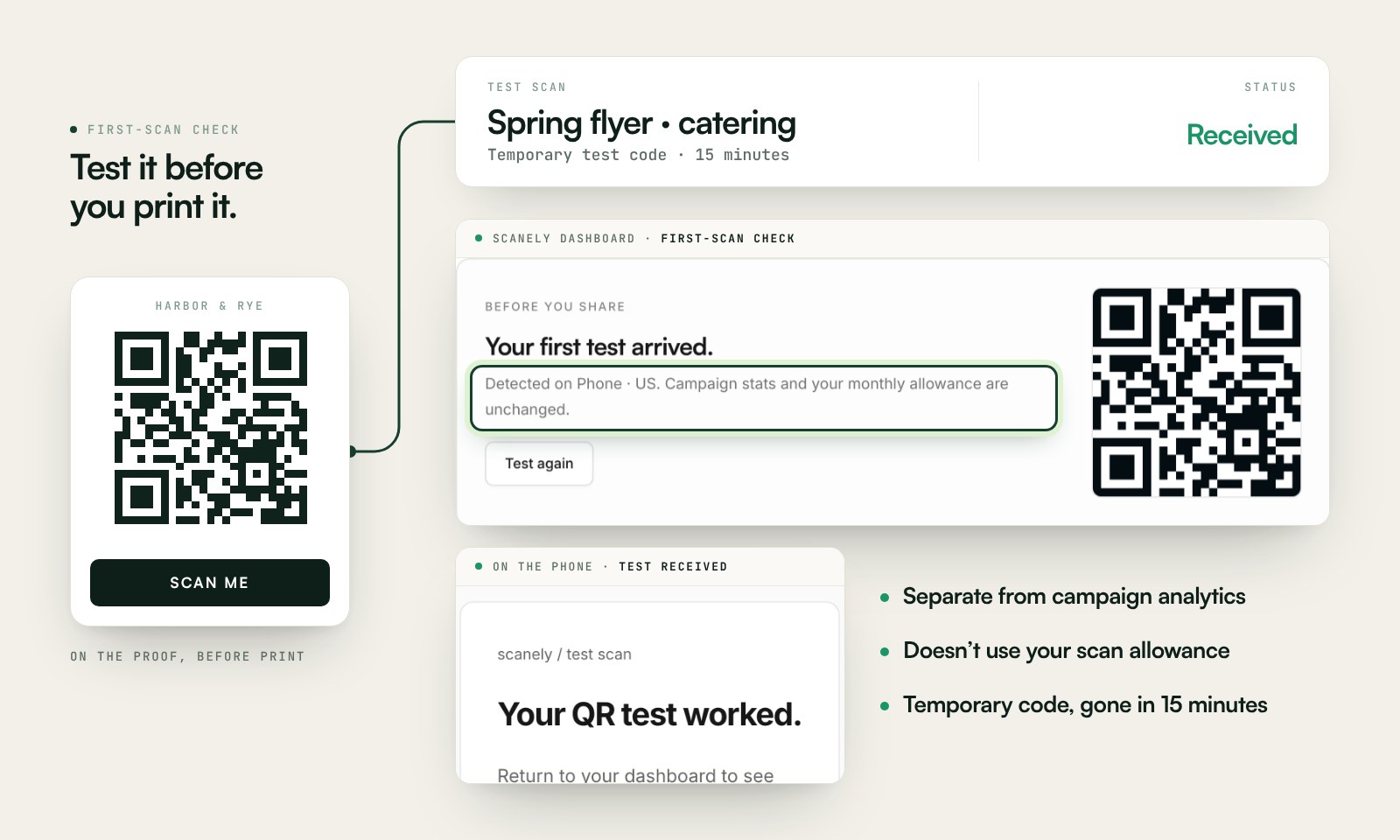
Scan a printed proof of your static download with a phone and check its destination. If you create a dynamic code in your Scanely account, First-scan check gives you a temporary test QR and confirms when your phone scans it.
The temporary code keeps test activity separate from campaign analytics. Never print it; download and test the final QR before ordering a batch.
Questions before you print
Is this Facebook QR code generator free?
Yes. Download a static QR for a Facebook Page, profile, group, or event as PNG or SVG. No account, watermark, or Scanely scan limit.
Where do I find my Facebook Page link?
Open the Page in a browser and copy the address bar. It often looks like facebook.com/yourpage. Avoid Share buttons on a post: those copy a post, a photo, or a short fb.me wrapper, which this tool rejects.
Why does the tool reject my link?
It rejects the Facebook home page, login pages, share wrappers, and links to a single post or photo. Those do not land on the Page. Short fb.me and fb.watch links are rejected because they are a poor fit for print.
Will people without a Facebook account be able to open it?
A public Page often opens in the browser. Profiles and private groups frequently ask for a login. Open your link in a private window before you print a run.
What if I rename the Page?
A static QR keeps the old address, which may stop working after a rename. If the Page address might change, create a dynamic Scanely QR so you can update the destination after printing and count scans.
How big should it be on a window or a card?
Use the QR size calculator’s 10:1 guide. A shop window scanned from the pavement needs a larger code than a counter card held in the hand. Keep a blank border around the modules and test a proof in daylight.