Free · No account needed
Menu QR Code Generator
Link a QR to your online menu or a shared PDF for free, or build a mobile menu page you can edit without reprinting.
Used to name your QR if you save it to an account.
Free static QR. No watermark, no scan limit, and no expiry set by Scanely. The destination must remain available.
Your QR code
Generated in your browser. Scanely does not upload your link to generate this static QR.
Keep the print. Change the link.
Create an account to make an editable QR and see scan counts. Your link, colors, and size will be ready in the creator.
A dynamic QR is a new code. Create and download it before printing; this static download will not become trackable.
Three ways to put a menu behind a QR
- Your website menu. Paste the menu page link above. Best when you already keep it up to date.
- A shared PDF. Quick if you already have a print file. Share it publicly, test it on mobile data, and remember that a replacement file may get a new link. The PDF QR generator explains the sharing settings.
- A Scanely menu Page. A mobile page with sections, dishes, descriptions, prices, and photos, built from a restaurant menu template.
Build a menu page with Scanely Pages
Pages comes with restaurant menu templates, including a bistro, a supper club, and a morning café design. You edit section names, dishes, descriptions, and prices, mark items as sold out, and publish the page with its own QR code. Because the QR points to the Page, you can change the menu later without reprinting the code.
All starting templates are available on the Free plan; plan limits apply to photos and some themes. Create a menu page to open the restaurant menu template after you sign up, or read the Pages guide.
Table QR checklist
- Open the menu on a phone over mobile data, not office Wi-Fi.
- Keep strong contrast and the empty border around the code.
- Print one proof, place it on a table, and scan it from a seated position.
- Keep a printed menu available for guests who prefer it.
For more, read how to create a QR code menu, see QR codes for restaurants, or collect feedback with a Google review QR.
Check the scan before your print run
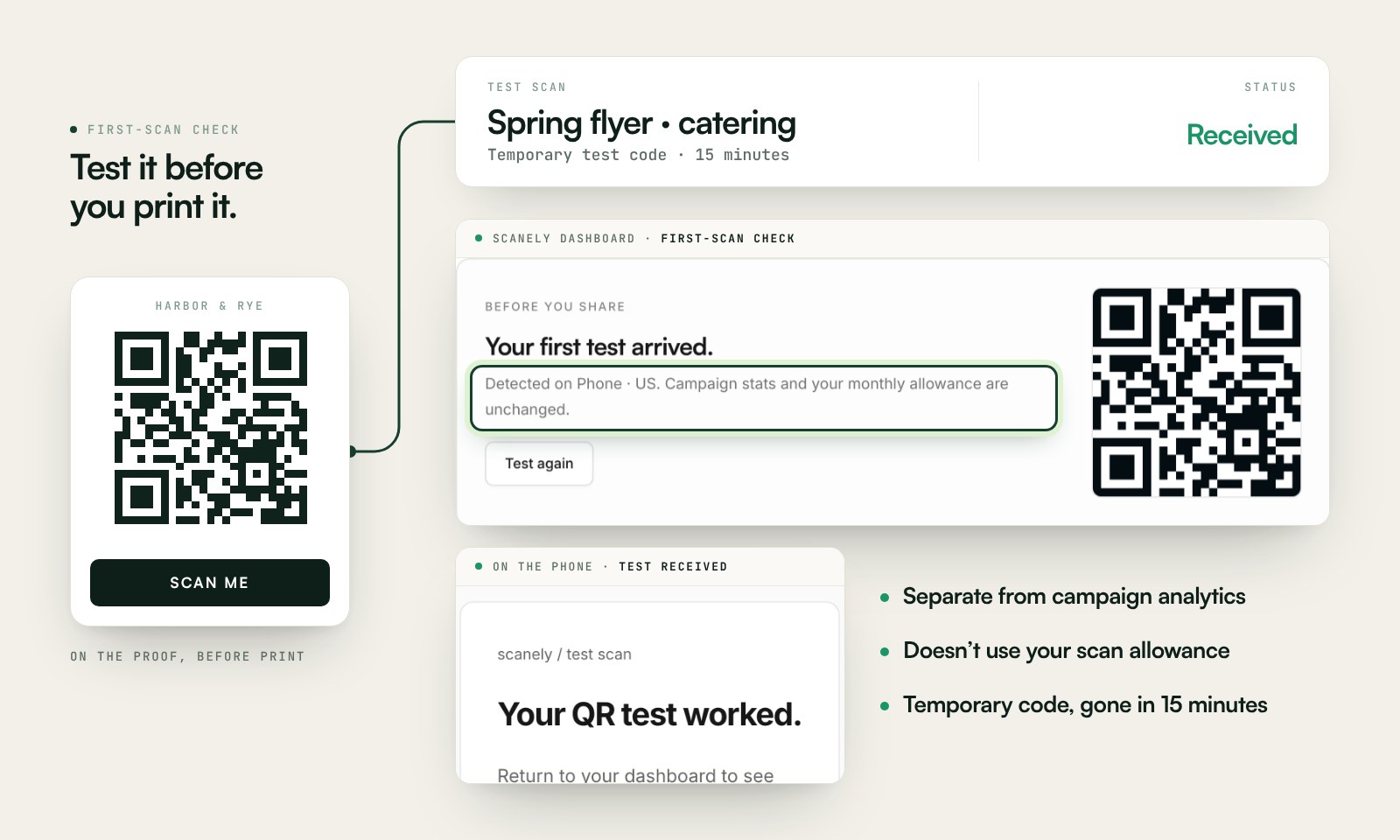
Scan a printed proof of your static download with a phone and check its destination. If you create a dynamic code in your Scanely account, First-scan check gives you a temporary test QR and confirms when your phone scans it.
The temporary code keeps test activity separate from campaign analytics. Never print it; download and test the final QR before ordering a batch.
Questions before you print
Is this menu QR code generator free?
Yes. Paste a link to your online menu or a shared PDF and download a static QR as PNG or SVG. No account, watermark, or Scanely scan limit.
I do not have an online menu yet. What can I link to?
You can share a PDF from Google Drive or Dropbox with “Anyone with the link,” or build a mobile menu page with Scanely Pages. Pages includes restaurant menu templates and is available on the Free plan.
Can I change prices after printing the QR?
If your link points to a page you can edit, such as your website or a Scanely Page, the printed QR keeps working while you update the content. If you replace a PDF with a new file, the link often changes, so a static QR would need reprinting. A dynamic QR lets you point the same printed code at a new link.
Can I mark dishes as sold out?
In a Scanely menu Page, you can mark unavailable items as sold out from the editor. A PDF menu has to be edited and re-shared.
How big should a table QR be?
It depends on the scanning distance and the link length. Use the QR size calculator and test a printed proof at the table before ordering.