Free · No account needed
Zoom QR Code Generator
Paste a Zoom join link. The tool keeps the meeting id and passcode, rejects sign-in pages, and downloads a QR for a slide, agenda, or door sign.
Copy the participant invite link, the one with /j/ and the meeting id. Host start links are rejected.
Free static QR. No watermark, no scan limit, and no expiry set by Scanely. The destination must remain available.
Your QR code
Generated in your browser. Scanely does not upload your link to generate this static QR.
Keep the print. Change the link.
Create an account to make an editable QR and see scan counts. Your link, colors, and size will be ready in the creator.
A dynamic QR is a new code. Create and download it before printing; this static download will not become trackable.
The join link, not the Zoom homepage
In the Zoom invite, copy the link guests use to join. It looks like zoom.us/j/1234567890, sometimes with ?pwd=. A webinar uses /w/. A personal room uses zoom.us/my/yourname and stays useful while that room is enabled. Sign-in, billing, and host “start” links are rejected because a guest cannot use them.
On a slide or a door sign, write what the scan does: “Scan to join the 2pm session.” A passcode inside the QR is visible to anyone who scans, so treat a public poster as a public invite. For a webinar that should not be open to everyone who sees the sign, paste the registration link (/webinar/register/). People sign up first. The original Zoom host is kept, including us02web.zoom.us and a company host such as company.zoom.us, because that host can be part of signing in. The event QR generator adds the session to a calendar when the destination is a date, not a live room.
How to create a Zoom QR code
- Copy the join link. Copy the participant join link, or the webinar registration link for a session that is not public.
- Check the preview. The meeting id, passcode, and original host should still be there.
- Download and test. Download PNG or SVG, write the session time beside the code, and join once from a phone before the meeting. A dynamic Scanely code lets the same sign open the next meeting.
One meeting ends. The sign can outlive it.
This download is static. It opens that meeting id, with no scan count. When you run the session again, the old id is the wrong destination. Print a dynamic QR code if the same sign, slide master, or agenda will point at a later meeting. Free includes 3 dynamic codes and 1,000 scans a month. Starter is $9/month for 50 codes and 100,000 scans. The dynamic file is a new image. Download it before you print.
See pricing. Size the code with the QR size calculator. A handout file in Drive uses the Google Drive QR generator.
Scanely is independent of Zoom.
Check the scan before your print run
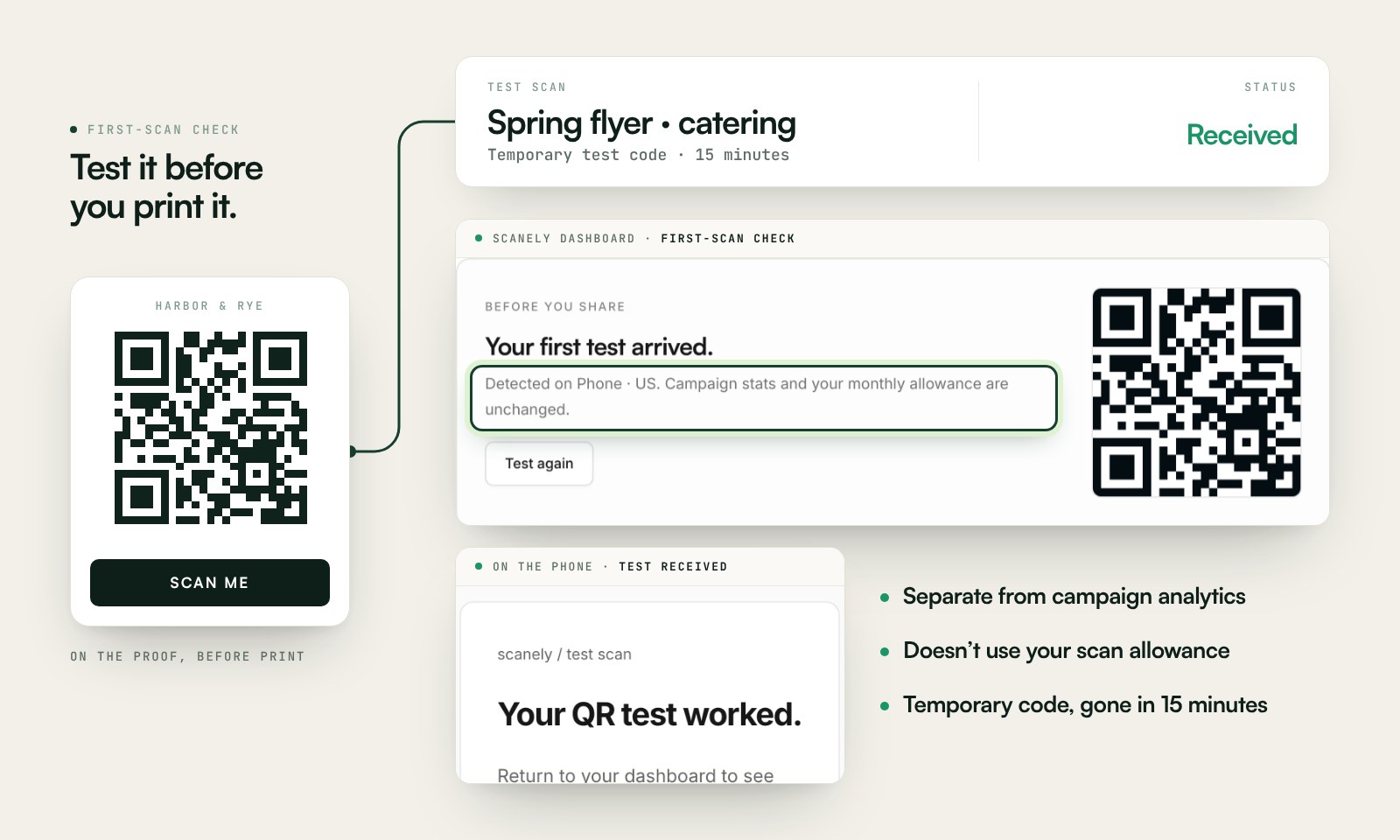
Scan a printed proof of your static download with a phone and check its destination. If you create a dynamic code in your Scanely account, First-scan check gives you a temporary test QR and confirms when your phone scans it.
The temporary code keeps test activity separate from campaign analytics. Never print it; download and test the final QR before ordering a batch.
Questions before you print
Which Zoom link should I paste?
The participant join link from the invite, usually zoom.us/j/ followed by a 9 to 11 digit meeting id. A webinar link uses /w/. A personal room uses zoom.us/my/yourname. Sign-in pages and host start links are rejected.
Does the QR include the passcode?
When the invite link contains a pwd value, that passcode is kept in the QR. Anyone who scans the code can use it. A waiting room in Zoom is the control for who actually enters.
What happens when the meeting ends?
That join link stops opening the meeting. A static QR printed on a standing sign keeps the old id. A dynamic Scanely code lets you paste the next meeting’s link without reprinting. Free includes 3 dynamic codes, and they keep redirecting.
Will a us02web.zoom.us link work?
Yes. The original host is kept, including a regional host such as us02web.zoom.us and a company host such as company.zoom.us. The passcode is kept when it is present. A company host can be required for single sign-on, so the QR does not rewrite it to zoom.us.
What if the meeting should not be public?
Paste the webinar registration link. It contains /webinar/register/. People sign up before they receive the join details. A direct /j/ or /w/ link is for people who should enter immediately. A dynamic Scanely code lets you point the same print at the next registration page.
Is this Zoom QR code generator free?
Yes. Download PNG or SVG with no account and no watermark. This static file does not count scans. A dynamic code does, and it can point at a new meeting later.
How large should a meeting QR be on a slide?
Use the QR size calculator. A code people scan from a chair in a meeting room needs to be large enough for that distance, including the blank border. Leave it on screen long enough to scan, and test it from the back row.